

Getting Started
Getting Started with AI Interview and AI Assessment on UptoSkills
Your first AI Interview or AI Assessment on UptoSkills, from account setup to your first report, in five short steps.
Updated 1 Sept 2026
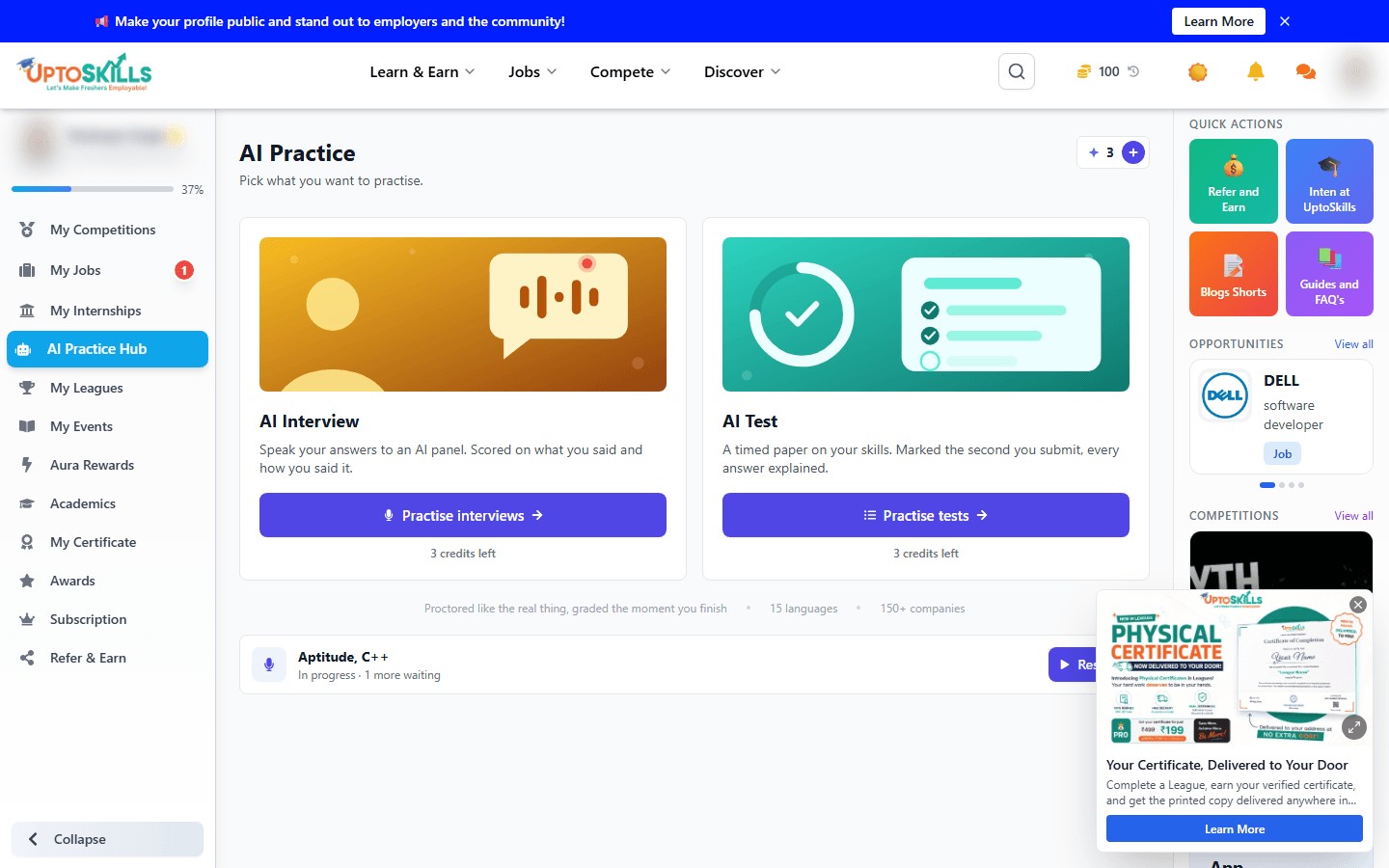
Short answer: Create your student account, open the AI Practice Hub, pick AI Interview or AI Assessment, set a few options, and start. Your first attempt at each is free. Here's the whole path.
Step 1: Create your account
- Go to uptoskills.com and sign up
- Choose Student as your account type
Full walkthrough: How to Create Your UptoSkills Account.
Step 2: Open the AI Practice Hub
From your student dashboard, go to AI Practice. This is where both tools live - see the AI Practice Hub guide for the full layout, including how free credits and Pro credits work.
Step 3: Pick a tool
| AI Interview | AI Assessment | |
|---|---|---|
| Tests | How you explain yourself out loud | What you actually know |
| Format | Questions asked one at a time | Scored questions |
Unsure which to run first? AI Interview vs AI Assessment: Which One Should You Use?
Step 4: Set your options and start
- Choose your skills and experience level
- Choose a question count (up to 20 for an interview, up to 50 for an assessment)
- Optionally turn on camera, screen share and fullscreen proctoring, and pick a language - see what each proctoring setting actually does
- For an interview, optionally upload your resume so questions are drawn from your own projects
Your first AI Interview and first AI Assessment are free - one of each per account. Pro gives you 5 of each per cycle.
Step 5: Read your report
Once you finish, generate your report. You can download it as a PDF or print it straight from the browser - see how downloading and printing reports works. An assessment report also recommends free Leagues that match your weak topics.
One browser note before you start
Brave browser is not supported for AI Interview or AI Assessment - its privacy shields interfere with camera access and proctoring. Use Chrome, Edge or Safari.
Common questions
Do I need to pay to try this?
No - your first AI Interview and first AI Assessment are completely free.
Do I need a webcam?
Only if you turn camera proctoring on; it's optional.
What if I don't finish in one sitting?
A credit is used when a session starts, so try to finish what you begin.