

For HR's / Corporates
Inside a Job: The Six Tabs Explained
What each of the six tabs inside a posted job does — Analytics, Applications, AI Assessment, AI Interview, Interview and Offer Release — and which ones cost coins.
Updated 19 Aug 2026
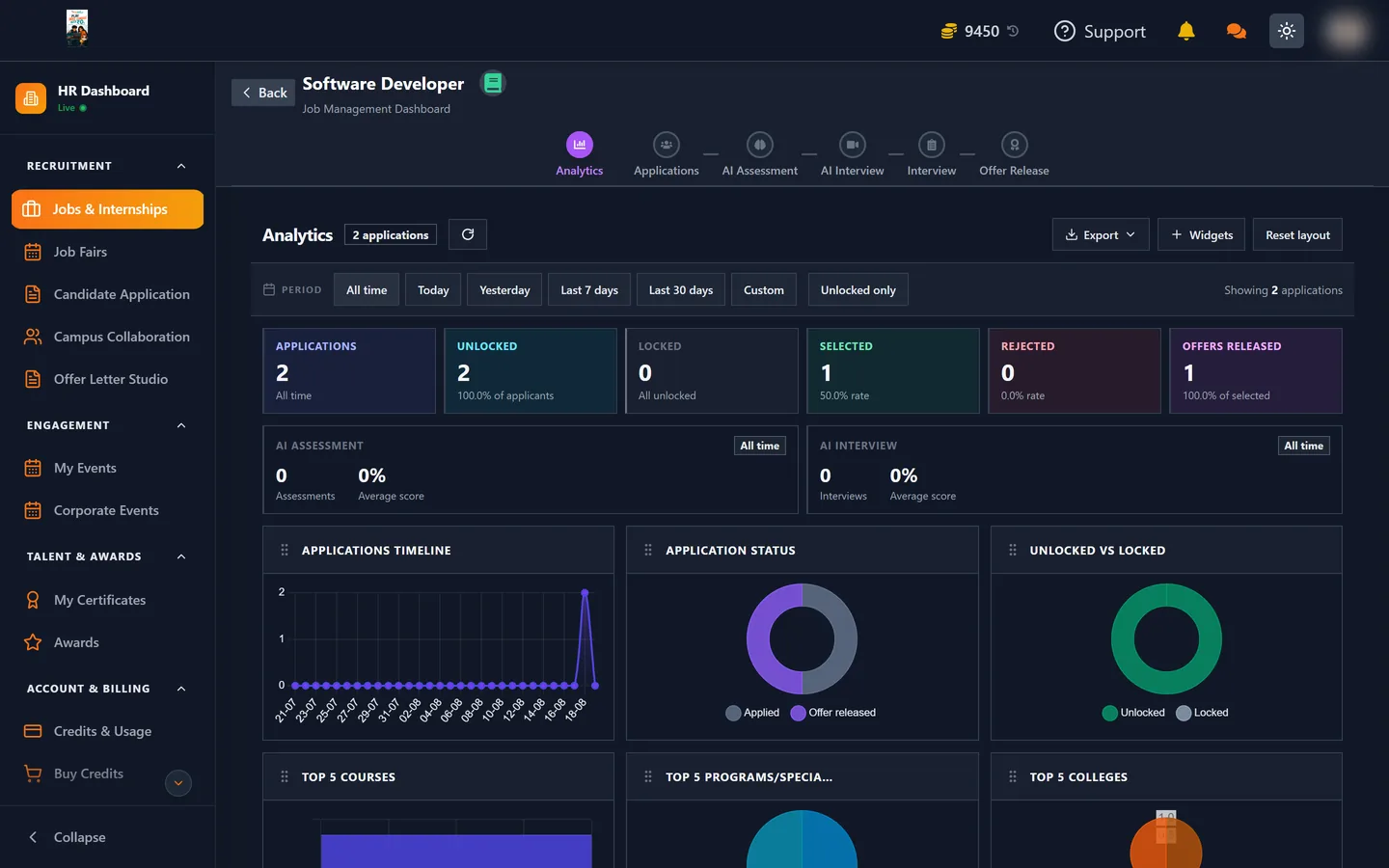
Short answer: Every posted role opens into its own workspace with six tabs, running left to right in roughly the order a candidate moves through them: Analytics, Applications, AI Assessment, AI Interview, Interview, Offer Release.
🧭 Which tabs are active depends on the hiring flow you chose at step 5 of the posting form. A simple flow will not show stages it does not use.
The six tabs
| Tab | What you do | Costs coins? |
|---|---|---|
| Analytics | See how the post is performing | No |
| Applications | Review, filter and unlock applicants | Yes — 5 per unlock |
| AI Assessment | Invite candidates to an automated skills test | Yes — 10 per candidate |
| AI Interview | Invite candidates to an automated interview | Yes — 10 per candidate |
| Interview | Schedule and run human interview rounds | No |
| Offer Release | Generate and send the offer | Yes — 500 per selection |
Analytics
Performance for this specific role. Use it to answer whether a disappointing pipeline is a visibility problem or a conversion problem — a post with plenty of views but few applications usually needs a better description or a more realistic requirements list, while one with few views needs attention to visibility and channels.
Applications
The busiest tab, and the one with its own guide. Everyone who applied, with filters, search, column controls and export. Candidate details are hidden until unlocked.
See Unlocking Candidate Applications for the full detail.
AI Assessment and AI Interview
Two automated screening stages you invite candidates into. Both are charged per candidate added, so they sit naturally after a shortlist rather than before one.
The Applications table shows an Invited column with a tick or cross against Assessment and Interview for every row, so you can see at a glance who has been sent what — and that column is free to read whether or not the candidate is unlocked.
Interview
Human interview rounds: scheduling, and recording what happened. Unlike the AI stages, this one costs nothing.
Offer Release
Where an offer is generated and sent. This is where the 500-coin Offer Letter / Selection charge fires, once per candidate, at the point you mark them Selected.
Templates built in Offer Letter Studio are available here, so the sensible order is to build your template once and reuse it rather than composing each offer from scratch.
A note on the status badges
Candidate rows carry a status such as Applied or Offer released. These follow the hiring flow attached to the job, so the exact set you see depends on how that flow was configured.