

For HR's / Corporates
Buying Coins, Billing and Invoices
How to top up your coin balance, why bigger packs cost less per coin, where invoices live, and what the refund position is before you pay.
Updated 19 Aug 2026
Short answer: Buy Credits tops up your balance — pick a preset pack or type your own amount. One coin is ₹1, larger amounts carry a discount, and coins never expire. Payment history and invoices live under Billing.
💳 Because coins do not expire, a larger discounted pack costs you nothing except paying sooner.
Buying
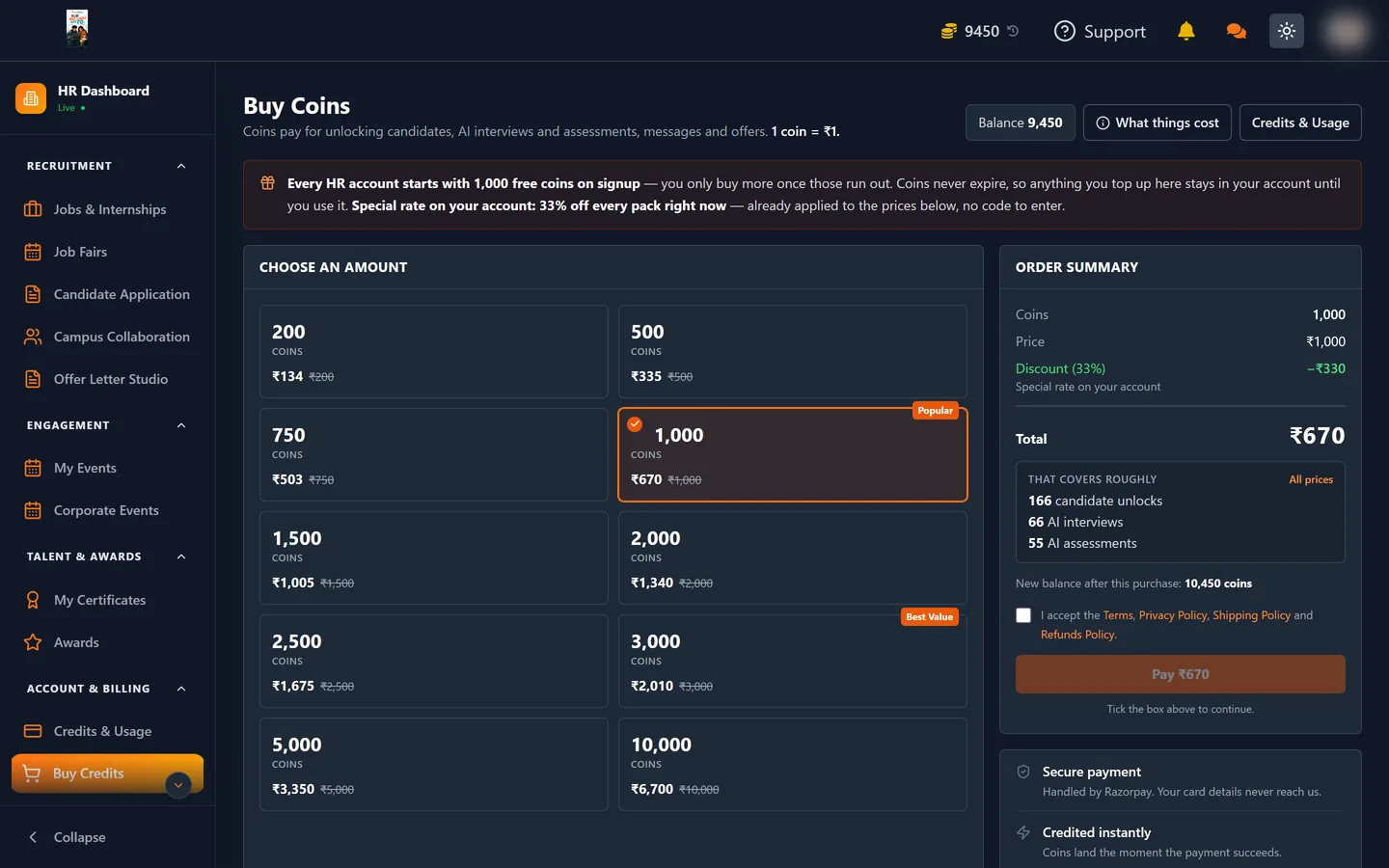
- Open Buy Credits from the sidebar.
- Under Choose an amount, take a preset pack or enter a custom amount.
- Check the Order summary — it shows the coins you receive, any discount applied and what you will actually pay.
- Pay through Razorpay.
Coins land on your balance as soon as payment confirms. The balance in the top bar updates, and the purchase appears in Credits & Usage under Coins added.
Why larger packs are cheaper
The base rate is one coin per rupee. Bigger packs carry a discount, so the effective rate improves as the pack grows. The order summary always shows the discount before you pay, so you can compare rather than guess.
Billing
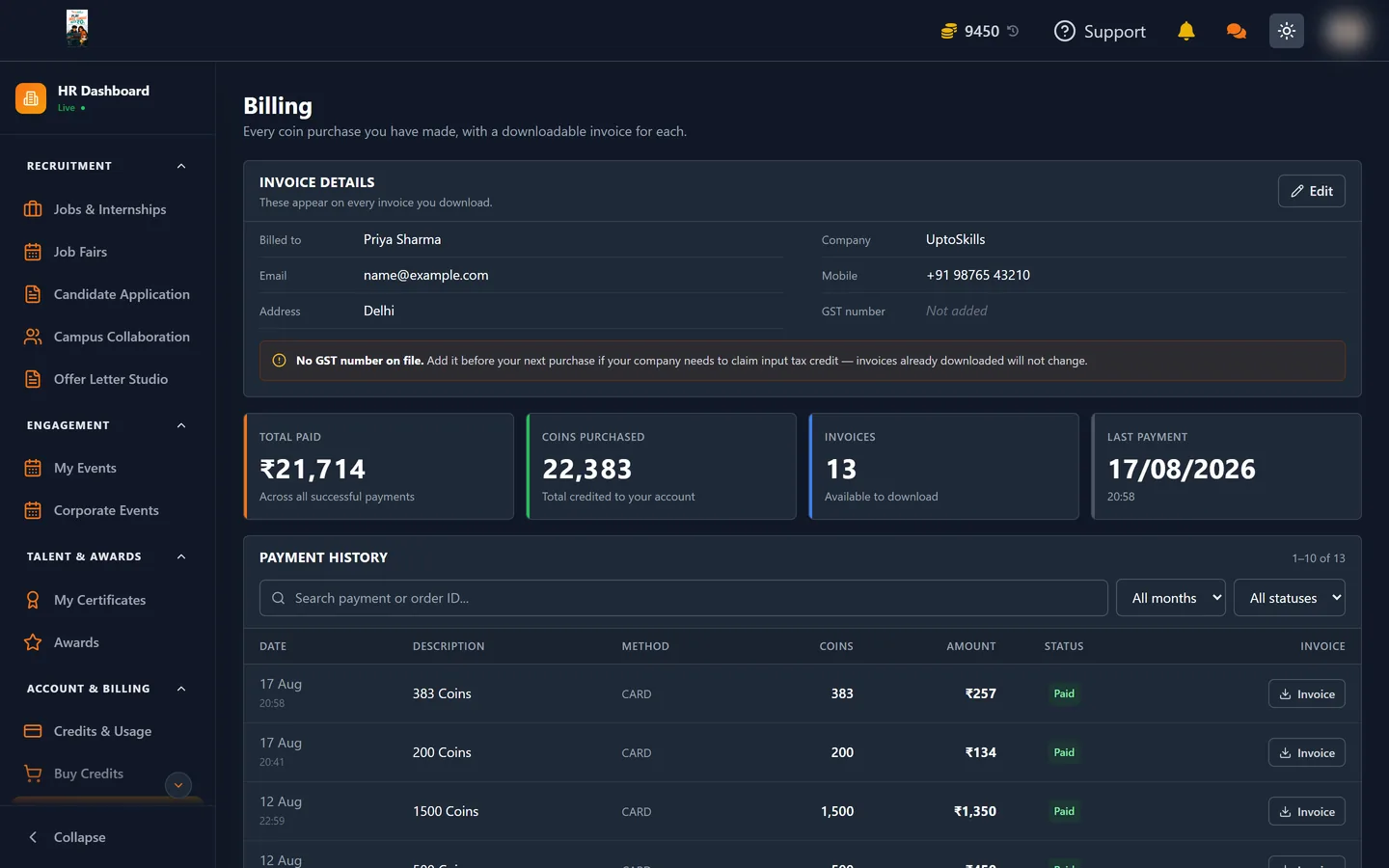
The Billing page holds your Payment history — every completed payment with its description, amount and status, filterable by status. This is where invoices for your finance team come from.
What the Billing table shows
Every completed payment appears as a row:
| Column | Meaning |
|---|---|
| Description | What the payment was for |
| Method | How it was paid |
| Coins | How many coins it added |
| Amount | What you paid, in rupees |
| Status | Paid, Failed or Refunded |
| Invoice | A download button that generates a PDF for that payment |
You can search by payment or order ID, filter by month, and filter by status — All, Successful, Failed or Refunded. A failed payment appearing in the list is a record, not a charge: no coins were added and no money was taken.
Invoices
Press Invoice on any successful payment and a PDF is generated on the spot, carrying Billed to, your Company and your Email alongside the payment details.
🧾 Those fields come from your billing profile. Fill it in before you make a large purchase — an invoice generated with the wrong company name is a nuisance to explain to your finance team.
The payment history can also be exported, which is the faster route when accounts want a whole quarter rather than one receipt.
Billing vs Credits & Usage
These two are often confused. They answer different questions:
| Billing | Credits & Usage | |
|---|---|---|
| Question | What have I paid UptoSkills? | What have I spent my coins on? |
| Unit | Rupees | Coins |
| Contains | Payments and invoices | Every coin movement, by category |
| Use it for | Expense claims and accounting | Understanding where the budget went |
Before you pay
The Buy Credits page links to the Refunds Policy, Privacy Policy and Shipping Policy. Read the refunds policy before a large purchase rather than after — it sets out what can and cannot be reversed.
How much to buy
Work backwards from a hire rather than guessing. On the default rate a single completed hire — unlocking twenty candidates, sending ten to an AI assessment and five to an AI interview, a handful of WhatsApp messages and one selection — lands around 755 coins, and the selection alone is 500 of that.
So a rough planning figure is about 800 coins per hire, most of it spent at the very end on people you actually take. Buying for two or three hires at a time usually reaches a discount band, and since coins never expire the only cost of buying ahead is paying sooner.
Where to go next
- What Everything Costs — work out how much you need
- Credits & Usage — where it went