

For HR's / Corporates
Account Settings and Security for HR Accounts
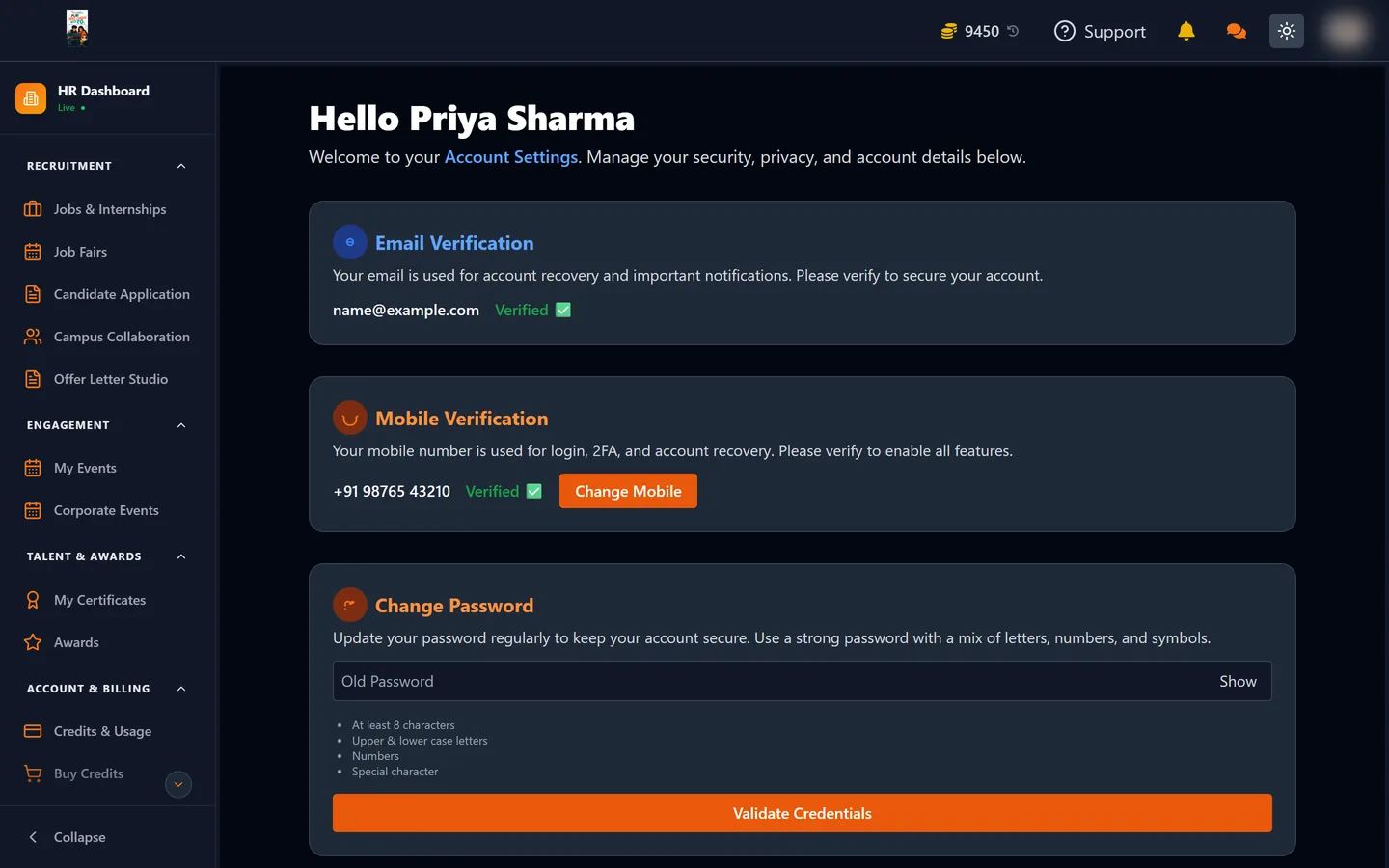
Changing your email, mobile and password, turning on two-factor authentication, and reviewing the devices signed into your account.
Updated 19 Aug 2026
Short answer: Settings holds your login details, two-factor authentication and the list of devices currently signed in. On an account that can see candidate contact details, all three are worth ten minutes.
🔐 Your account can reach personal data belonging to real people. Treat it like a payroll login, not a newsletter signup.
What you can change
| Setting | Notes |
|---|---|
| Change Email | The address you sign in with and where notifications go |
| Change Mobile | Your contact number on the account |
| Change Password | Minimum eight characters |
| TOTP Two-Factor Authentication | Can be enabled and disabled |
| Active Sessions | Every device currently signed in |
Sensitive changes ask you to re-enter your password first. That is intentional: it means someone who finds an unlocked laptop still cannot quietly move your account to their own email address.
Turn on two-factor authentication
TOTP works with any authenticator app — Google Authenticator, Authy, 1Password and the rest. Once enabled, signing in needs your password and a six-digit code that changes every thirty seconds.
It is the single highest-value setting on this page. A password that leaks anywhere else on the internet stops being enough on its own.
Check your active sessions
The sessions list shows every device signed into your account. Two habits are worth forming:
- Look at it occasionally, and end anything you do not recognise
- End sessions on shared or borrowed machines rather than trusting that closing the tab logged you out
A ten-minute setup worth doing once
- Turn on TOTP two-factor authentication. This is the one that matters most.
- Check the email on the account is one you control and will keep — password resets go there, and losing access to it is the hardest problem to unpick.
- Set a password used nowhere else. Reused passwords are how most accounts are lost, and this one reaches real people's contact details.
- Read the active sessions list and end anything you do not recognise.
- Ask colleagues to do the same — an account is only as secure as the least careful admin on it.
Why this account deserves the care
An HR account is not an ordinary login. It can reveal candidates' names, email addresses, phone numbers and resumes; it can spend coins that cost real money; and it can issue offer letters in your company's name. Each of those is something you would not want happening without your knowledge.
If your company has several people on the account, the Super Admin can also see an audit log of logins and team changes. That does not replace two-factor authentication, but it does mean an unexpected sign-in leaves a trace someone can find.
If you are locked out
Use the password reset from the sign-in page. It sends a link to your registered email with instructions for setting a new one. If you no longer have access to that address either, contact support through the dashboard rather than creating a second account — a new account starts unverified and cannot see anything.