

Getting Started
EARNING AND USING COINS
Coins on UptoSkills are rewards you earn by learning and staying active. You get coins by completing leagues, referring friends, spinning the weekly wheel, and hitting streak milestones. These coins can be used to unlock premium content, get discounts, and access extra features like AI assessments and interviews. The more you learn and engage, the more coins you earn—making your learning journey easier and more rewarding.
Updated 21 Oct 2026
Unlock Your Earning Potential on UptoSkills
INTRODUCTION
Coins are a valuable digital currency on UptoSkills that rewards your learning journey and engagement with the platform. This guide will walk you through all the ways to earn coins and the best practices for using them to enhance your learning experience.
SECTION 1: HOW TO EARN COINS
There are multiple ways to earn coins on UptoSkills. Each method rewards your engagement and progress:
1. Completing League Missions
When you enroll and complete missions in learning leagues, you earn coins based on the difficulty and length of the league:

->Go to Learn & Earn and hover on it.
->It will show these
->Click the All leagues

->Click any one of the league and click the explore league

->Scroll and click Enroll Now & Start Learning!
->complete the league and earn coins

• Python: The First Steps of a Developer - Earn up to 40 coins
• HTML: Learn the Web Step-by-Step - Earn up to 30 coins
• Red vs Blue: Cyber Defense League - Earn up to 35 coins
• Finance League: From Basics to Financial Mastery - Earn coins based on completion
How to maximize coins from leagues:
✓ Complete all missions in a league for maximum coin rewards
✓ Progress through higher-difficulty leagues to earn more coins
✓ Track your progress in the "Lv XP" section to monitor earnings
2. Referring Friends to UptoSkills
Share the power of learning with friends and earn coins:
• You earn 50 coins when a friend signs up using your referral link
• Your friend receives 20 coins as a welcome bonus
• No limit on referrals - earn coins from every successful referral
• Bonus: When your friend purchases a subscription, you also earn real cash rewards (₹25)
How to refer and earn:
STEP 1: Navigate to your Student Dashboard and click on "Refer & Earn"

STEP 2: Click the start earning now! button and register

STEP 3:After logged in Click the refer & earn button in the side

STEP 2: Copy your unique referral link from the dashboard

STEP 3: Share this link with friends via email, social media, or messaging apps
STEP 4: When they sign up, coins are instantly credited to your account
STEP 5: Track all your referrals and earnings in the referral history section
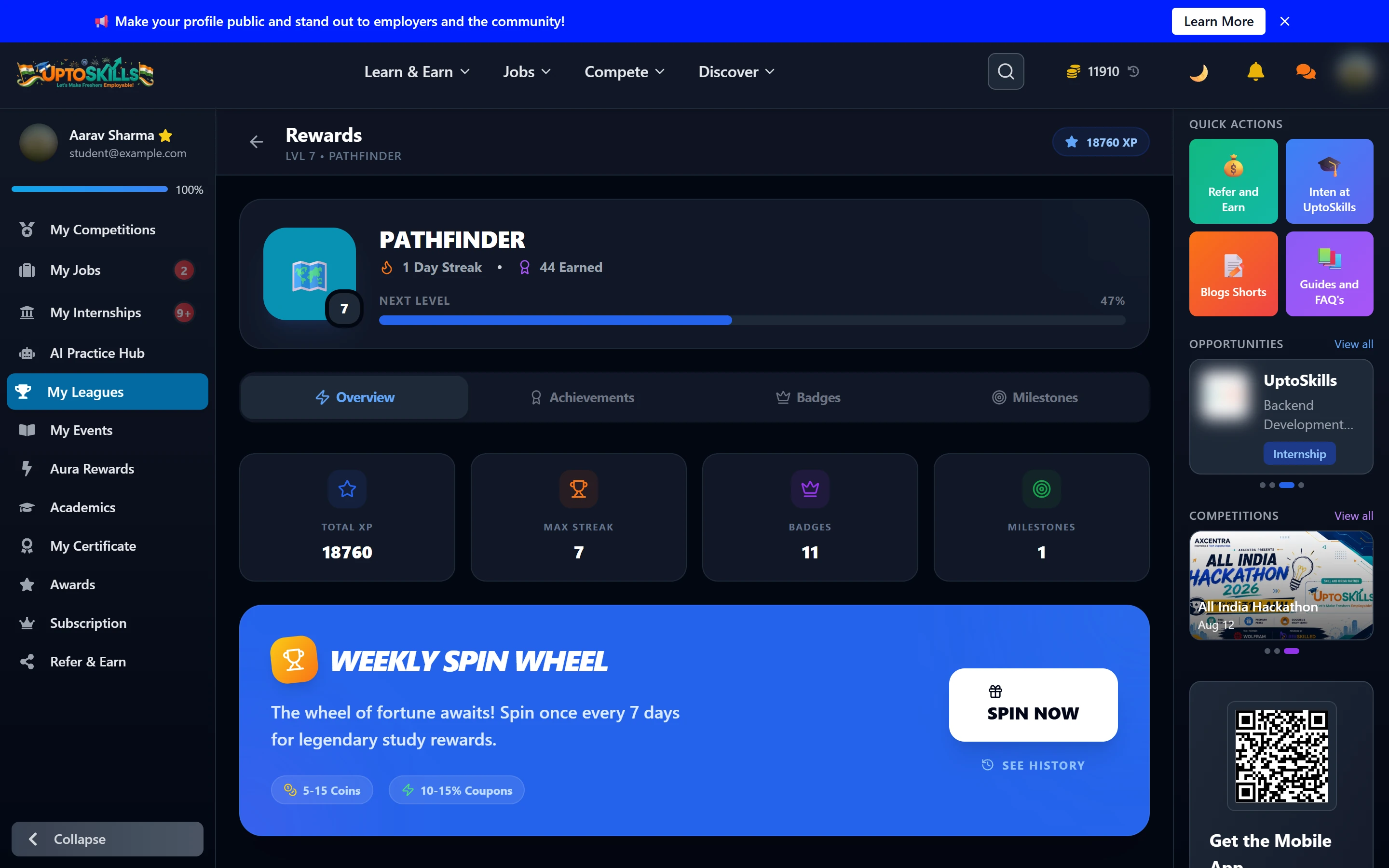
3. Weekly Spin Wheel Rewards (Pro members only)
Pro members get one free spin on the Weekly Spin Wheel every 7 days for:
• 5-15 bonus coins per spin
• 10-15% discount coupons
• Spin resets every 7 days
• Not available on the free plan - this is one of the Pro benefits
How to access the Weekly Spin Wheel:
STEP 1: Go to your Student Dashboard and click on the My Leagues

STEP 2: Click on "Rewards & Achievements" section

STEP 3: Locate the "Weekly Spin Wheel" banner

STEP 4: Click "SPIN NOW" button
STEP 5: Your rewards (coins and/or coupons) will be instantly credited
STEP 6: View your spin history anytime by clicking the "History" button
4. Streak Milestones and Achievements
While daily learning streaks primarily reward XP (Experience Points), they contribute to your overall engagement and unlock achievement badges that may have coin rewards:
• 7-Day Streak: 100 XP reward
• 14-Day Streak: 200 XP reward
• 30-Day Streak: 500 XP reward
• 50-Day Streak: 1000 XP reward
• 100-Day Streak: 2000 XP reward
Achievements with potential coin rewards:
• Dedicated Learner - Complete 5 lessons in a day
• Perfectionist - Get 100% on 5 assessments
• League Explorer - Enroll in 3 leagues
• Getting Started - Complete your first module
SECTION 2: HOW TO USE YOUR COINS
Now that you understand how to earn coins, let's explore how to put them to good use:
1. Unlock Premium Content and Features
Coins can be used to unlock premium learning materials and features:
STEP-1:Go to main page and hover on Learn & Earn
STEP-2:Click the View plan button

STEP-3:Click on the plan

STEP-4:click the toggle and it will apply to the amount

• Access advanced league content
• Unlock premium courses and specializations
• Get exclusive learning resources
• Access premium assessment and interview features
2. Redeem for Discounts and Coupons
Use your coins strategically to get discounts on premium subscriptions:
• Convert coins to discount coupons
• Apply coupons to subscription purchases
• Get better value for your learning investment
3. Enhance Your Learning Path
Invest coins in features that accelerate your learning:
• Purchase additional AI Assessment credits
• Unlock extra AI Mock Interview sessions
• Access priority support services
• Unlock specialized learning tracks