

Campus Placement Drives and Corporate Collaboration for Faculty
Approve the companies that want to recruit at your college, share opportunities with your students, and understand when HR contact details unlock.
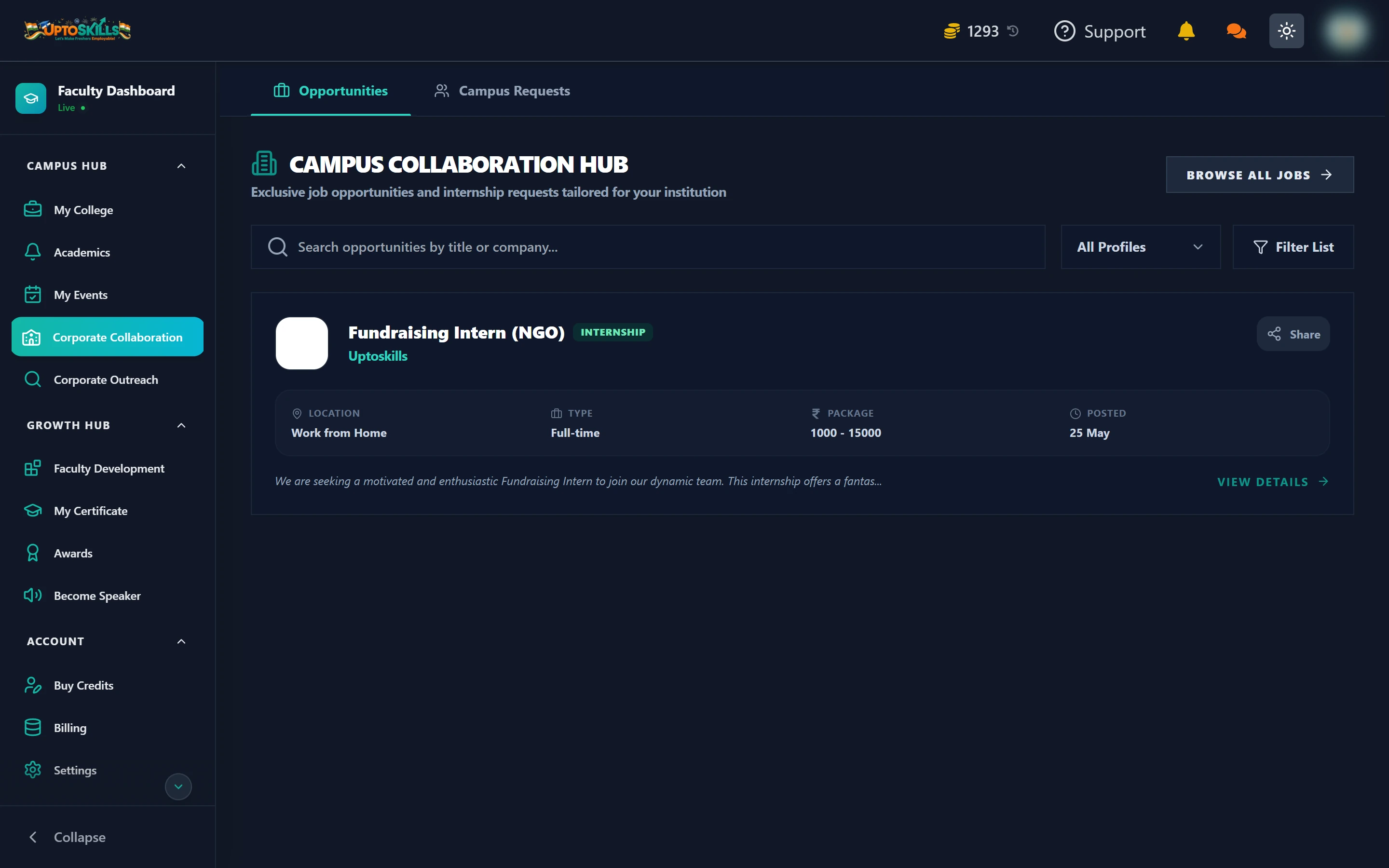
Short answer: Corporate Collaboration has two tabs. Opportunities is a feed of jobs and internships you can share with your students. Campus Requests is where companies formally ask to run a drive at your college, and you approve or reject.
The Opportunities tab
Roles routed to your institution. Each card carries the title, company, location, work type, package range and posting date.
- All Profiles / Jobs Only / Internships Only — the top filter
- Search by title or company
- Filter List for a narrower cut
- Share — pass a specific role to your students
- View Details — the full description and requirements
- Browse All Jobs — the whole platform, beyond what is routed to you
The Campus Requests tab
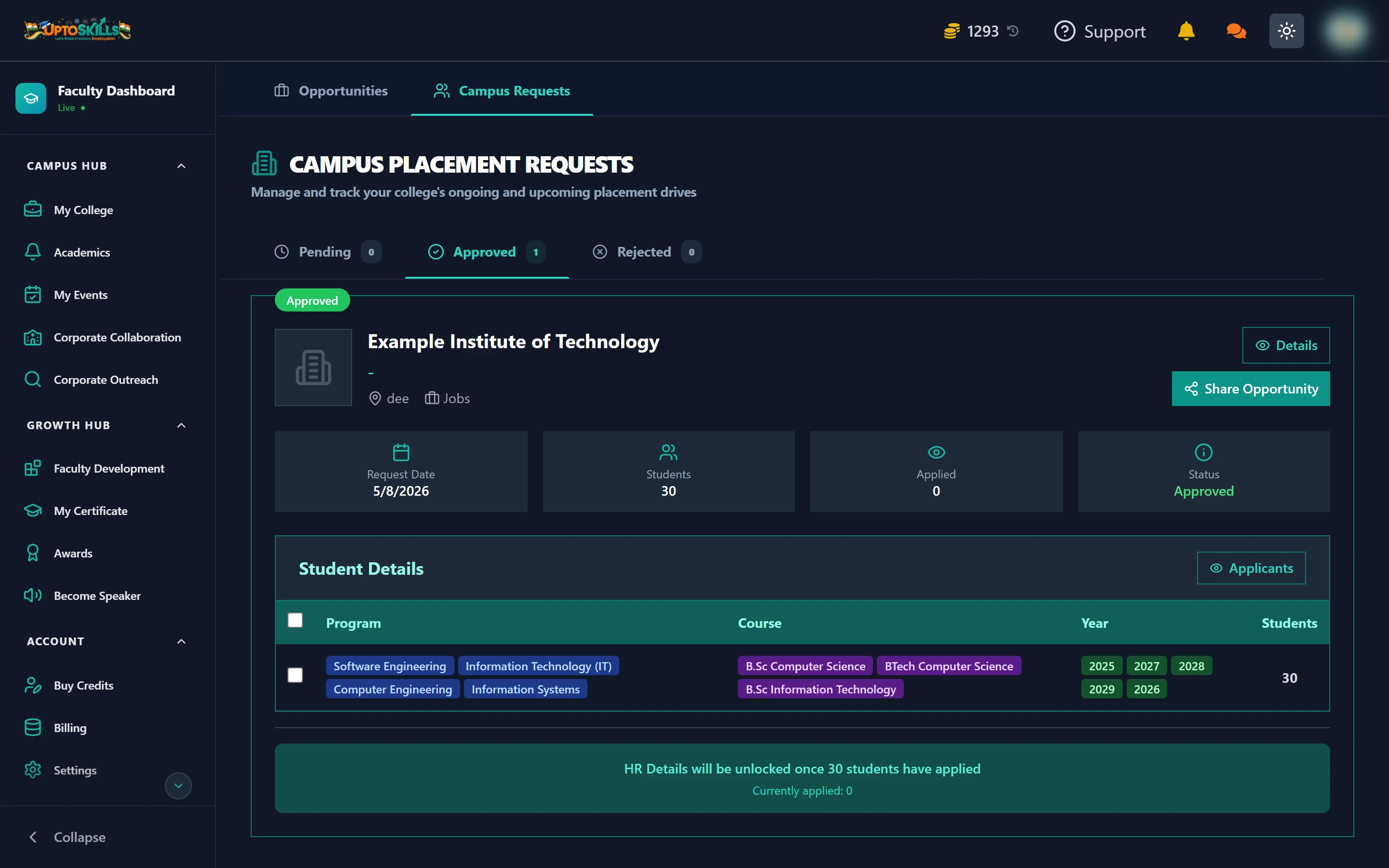
Sorted into Pending, Approved and Rejected. Each request shows:
| Field | Meaning |
|---|---|
| Request Date | When the company asked |
| Students | How many students the company wants |
| Applied | How many of yours have applied so far |
| Status | Pending, Approved or Rejected |
Expanding a request shows Student Details — the programs, courses and years the company is asking for — so you can check the fit against your actual batches before approving.
When do I get the HR contact details?
Once enough of your students have applied. The panel tells you exactly where you stand: "HR Details will be unlocked once 30 students have applied — currently applied: 0."
The number is the company's own requested headcount, not a fixed platform rule. A drive asking for 10 students unlocks at 10.
🎯 This is the part faculty most often get stuck on. The unlock is not a delay you wait out — it moves when your students apply. Approving the drive and then not telling anyone means it never unlocks.
What to do after approving a drive
- Share the opportunity using the Share button on the request
- Post a notice about it — see sending notices
- Add it to the Academic Calendar under Placement / Drive so it does not clash with an exam
- Watch the Applied counter and nudge students until it clears the threshold
- Check the Applicants list to see who actually went through
Should I reject a request?
Reject when the requirements genuinely do not match what your college offers — a drive for a branch you do not teach, or a batch year you do not have. Approving those wastes your students' time and leaves a request that can never unlock.
Can I approve a drive for only some branches?
The company specifies which programs, courses and years it wants, and you approve or reject that as a whole. If the scope is wrong, reject it and let the company post a corrected request.
Do students apply through me or directly?
Directly. You approve the drive and make sure students know about it; they apply themselves. Their applications then show up in your Student Tracker.
What if no company has requested a drive at my college yet?
That is what Corporate Outreach is for — you approach recruiters rather than waiting for them.