

Corporate Outreach: Find HR Contacts for Campus Placement Drives
Search any company for its HR and recruitment contacts, unlock their emails, and invite them to recruit at your college — including what it costs.
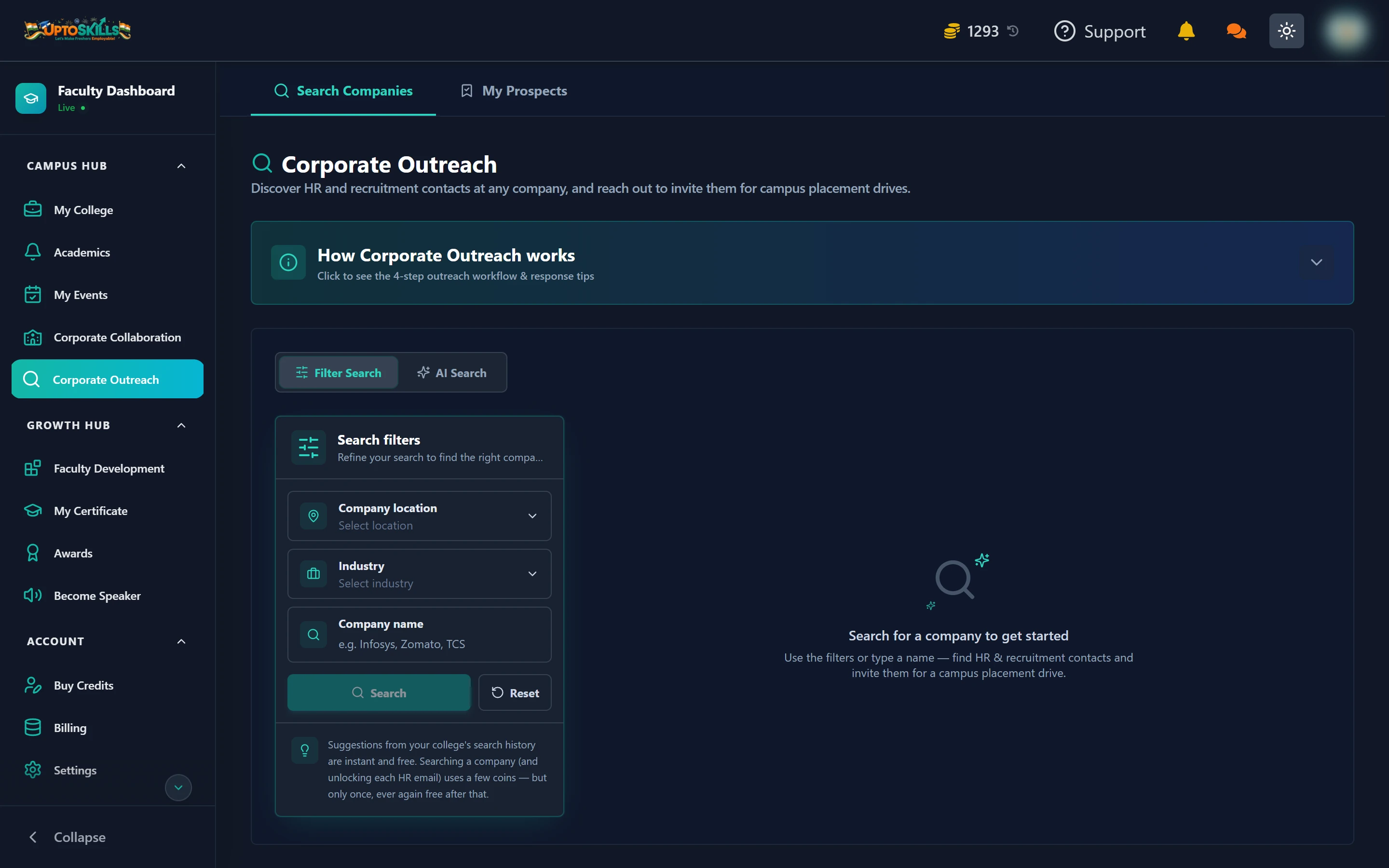
Short answer: Corporate Outreach finds HR and recruitment contacts at companies you want to invite for a campus drive. Searching a company costs 5 coins, unlocking each HR email costs 5 coins, and both are charged once ever — after that they are free for you and for every colleague at your college.
⚠️ Read this before you start. Corporate Outreach needs a balance of more than 1000 coins. Every account starts with exactly 1000 free coins, which means a brand-new account cannot use this feature until it tops up. This is deliberate — each search spends real credits from a paid third-party data pool.
Two ways to search
Filter Search
Pick a company location, an industry, or type a company name. Best when you already know who you want — "we want Infosys to visit this year".
AI Search
Describe what you want in plain language and it works out the filters for you. Best when you do not have a specific company in mind — "mid-size fintech companies in Pune that hire freshers".
AI Search costs 5 coins per query, but re-running the exact same query text is free.
What each step costs
| Action | Cost | Charged again? |
|---|---|---|
| Autocomplete suggestions from your college's history | Free | Never |
| Searching a company | 5 coins | Never again for that company |
| Unlocking one HR contact's email | 5 coins | Never again for that contact |
| An AI Search query | 5 coins | Free if you repeat the same query |
| Viewing something already unlocked | Free | — |
💡 One coin is ₹1. Finding a company and unlocking three HR emails is 20 coins — ₹20 — and it stays unlocked permanently.
The four-step outreach workflow
- Search the company by name, or by location and industry
- Review the contacts — HR, talent acquisition and recruitment roles at that company
- Unlock the emails of the two or three people who look most relevant
- Reach out and invite them to run a drive at your college
Unlocked contacts are saved under the My Prospects tab so you do not have to search again.
Writing an outreach email that gets answered
- Lead with your numbers — batch size, courses, graduating year
- Name the roles you think fit, rather than asking what they have
- Mention any past placements at similar companies
- Propose specific dates — an open-ended request is easy to postpone
- Keep it under 150 words
Why does it say I need more coins when I already have 1000?
The requirement is more than 1000, and 1000 is exactly the free signup balance. Buy any amount of coins from Buy Credits and the feature unlocks.
Do my colleagues pay again for a company I already searched?
No. Once a company or contact has been fetched, it is free for everyone at your college from then on. It is worth agreeing who searches what so you are not duplicating.
Why is a big company taking a long time to load?
Very large employers have thousands of matching contacts. When the fast combined lookup stalls, it automatically switches to a slower method that queries one job title at a time. Leave the tab open — it completes on its own.
Are these emails accurate?
They come from a professional contact database and each carries a status showing how confident the source is. Prefer contacts marked valid, and expect some bounce — that is normal for any outreach list.
Is this legal to use for campus outreach?
Yes. These are professional business contacts at companies, used to invite employers to recruit — the same thing a placement cell has always done by phone. Keep your emails relevant and stop contacting anyone who asks you to.