

How to make your profile public
Unlock opportunities! This guide shows you how to make your student profile public, showcasing your skills and achievements to potential employers and collaborators.
👋 Welcome to Your Ultimate Student Profile Guide!
Ready to make your student profile shine and unlock a world of opportunities? ✨ This guide will walk you through the steps to create a compelling, public profile that showcases your skills, achievements, and passion. Think of it as your online CV or portfolio, ready to impress! 🚀
Why Make Your Profile Public? 🤔
- Share Your Achievements: Easily share a link to your profile, highlighting your journey and accomplishments. 🔗
- Boost Your Visibility: Increase your chances of being discovered by potential employers, collaborators, or mentors. 🌟
- Showcase Your Portfolio: Flex your projects, learning journey, badges, social links, and more! 💻🏅
- Professional Networking: Enhance your professional presence and build your network. 🌐
🛠️ Let's Get Started! Making Your Profile Public
It's easier than you think! Follow these simple steps:
Step 1: Log In and Navigate to Your Student Dashboard 🚪
- Log in to your account.
- Head over to your Student Dashboard. 🧑🎓
Step 2: Access Your Profile Settings ⚙️
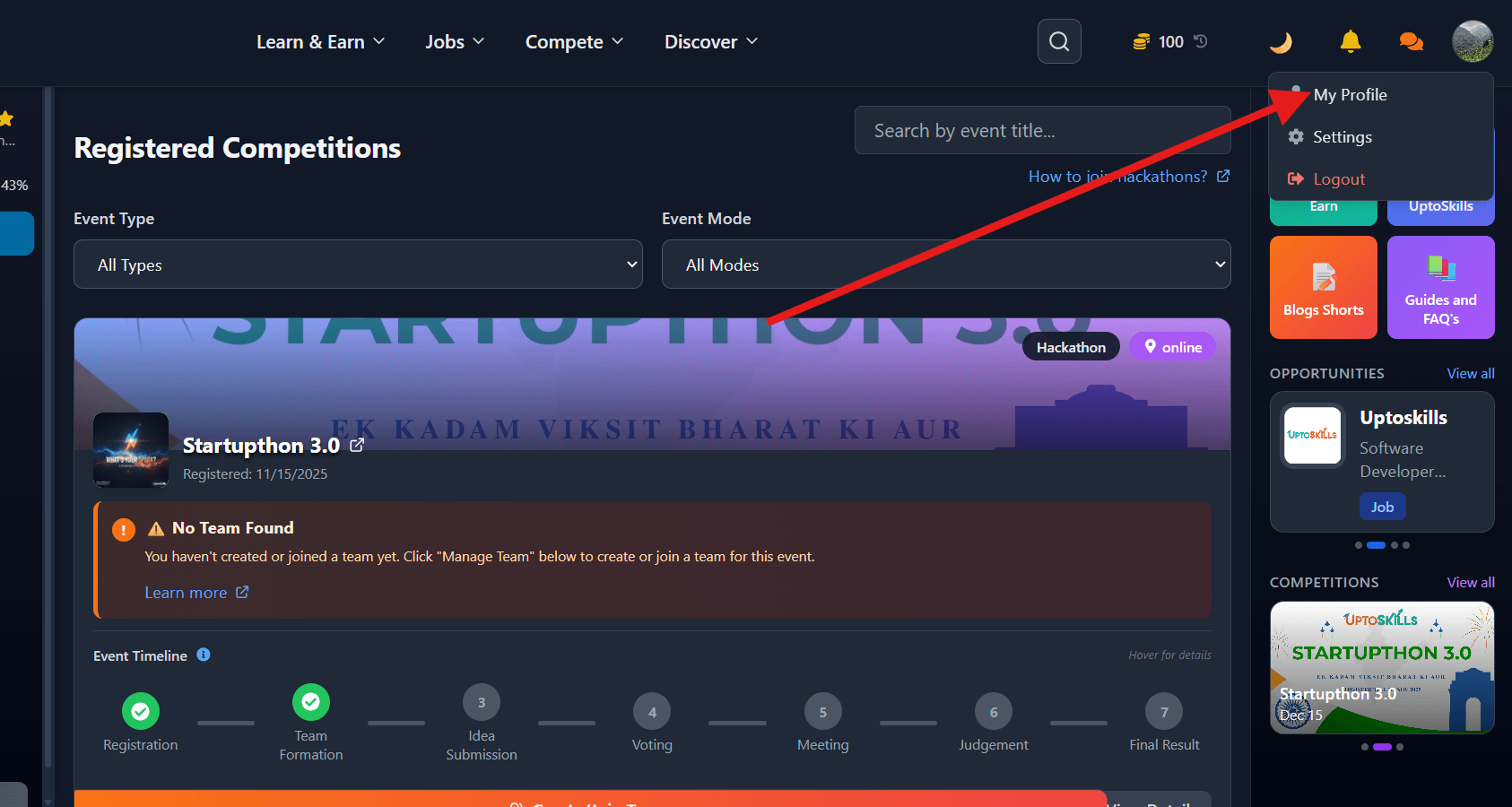
- On the navbar, click on your profile picture (PFP). 🖼️
- Click on My Profile in the dropdown menu.
Step 3: Edit Your Profile ✏️
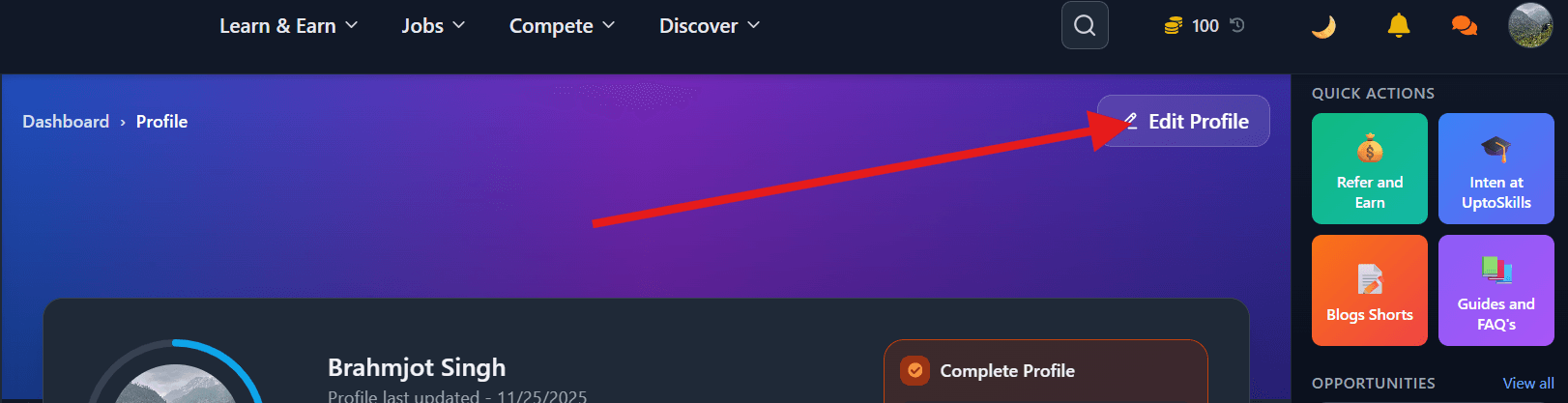
- Locate the Edit Profile button and click on it.
Step 4: Public Profile Settings 🌐
- Scroll down to the Basic Details section.
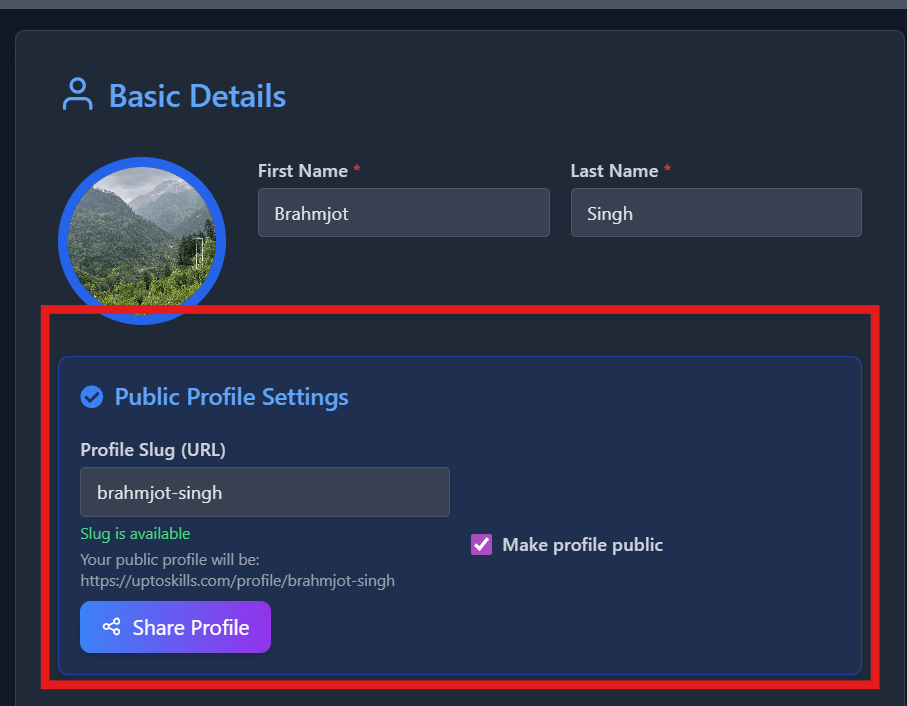
- Below the name and profile picture fields, you'll find the Public Profile Settings section.
Step 5: Choose Your Unique Slug 🎯
- In the input box, type your desired "slug." A slug is the unique identifier that will be used in your profile URL.
- Example: Typically, slugs are your name, like rohit-sharma or rohitsharma
Step 6: Make Your Profile Public ✅
- After typing your slug, click the checkbox labeled Make profile public.
Step 7: Save Your Changes 💾
- Scroll down to the bottom of the page and click Save Profile.
🎉 Congratulations! Your Profile is Now Public! 🎉
You've successfully made your profile public and are now ready to share it with the world!
Sharing Your Public Profile 📣
- Click the Share Profile button to get your public profile link.
- Share this link with anyone! It's ready to be added to your resume, social media, or online portfolio.
Example Public Profile URL:
Your public profile will be: https://uptoskills.com/profile/your-chosen-slug (replace your-chosen-slug with the slug you selected). 🔗
Go forth and shine! ✨ Your enhanced student profile is your digital stage. 🎭