

How to Enroll and complete a league
Unlock your learning journey on Uptoskills with ease. Start by navigating to Learn and Earn in the top-left header and selecting Browse Leagues. After entering the Leagues section, click Start Free Now to explore the world’s leading gamified learning experience. Browse through popular leagues or view all leagues, then select the one that interests you. Each league offers a clear overview, prerequisites, and learning objectives. Enroll with a single tap on Enroll Now and Start Learning! and begin with Mission 1, which is entirely free to access. From Mission 2 onward, you’ll need league credits. If a mission shows League Locked, simply use your credits to unlock it and continue progressing. Once unlocked, your path is wide open—learn consistently and earn exciting rewards, awards, and goodies as you advance. Track your growth anytime through the Lv XP section, and check the Top Performers leaderboard via the cup/award icon to see where you stand among other achievers.
STEP 1:
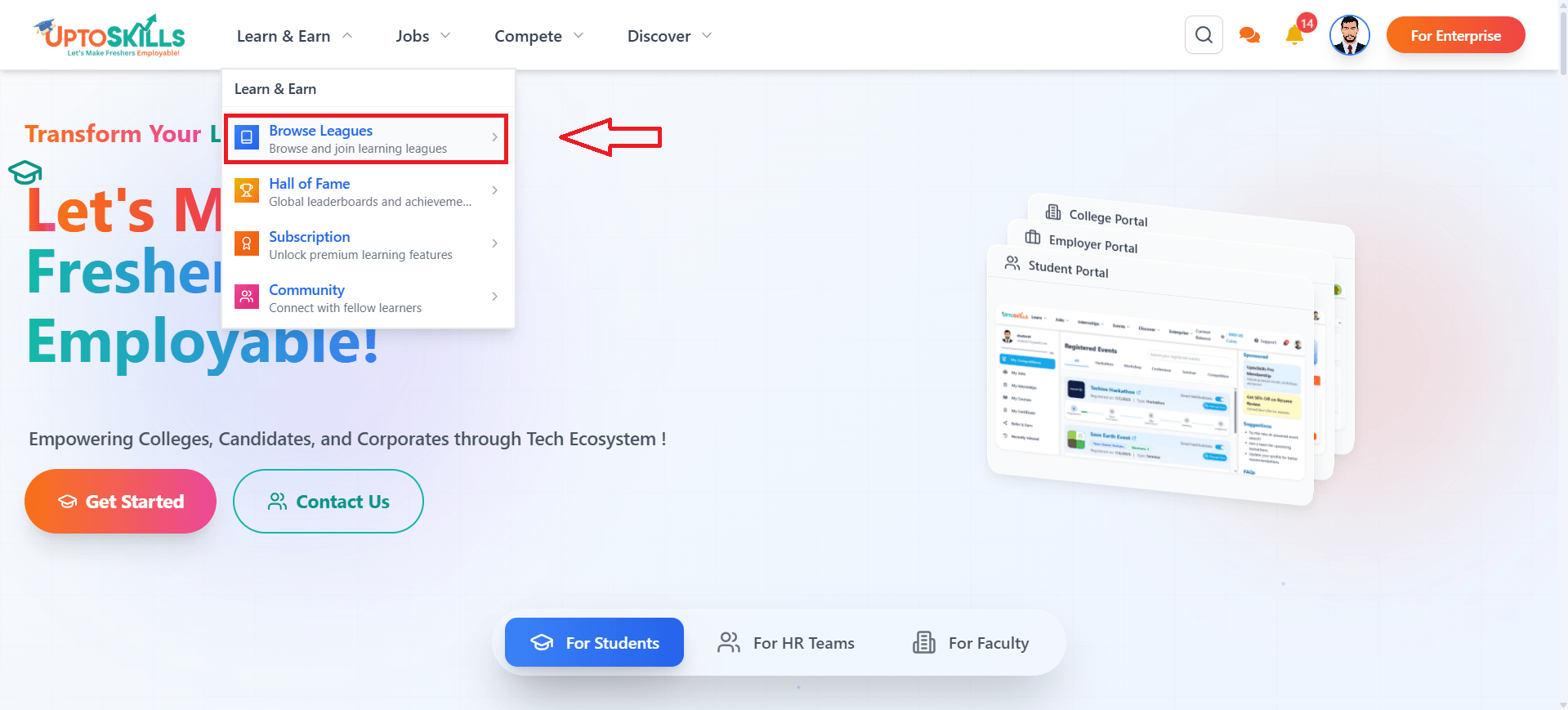
On the home screen, look at the top-left corner of the header.
When you hover your mouse over “Learn and Earn,” a dropdown will appear.
In that dropdown, you’ll see “Browse Leagues.”
Click on “Browse Leagues,” just like it’s shown in the figure.
STEP 2:
After you enter, you’ll land on the Leagues home screen, where the banner proudly displays “World’s No. 1 Gamified Learning Platform.”
Right below this banner, you’ll notice a button labeled “Start Free Now.”
Click on “Start Free Now,” just as shown in the figure below.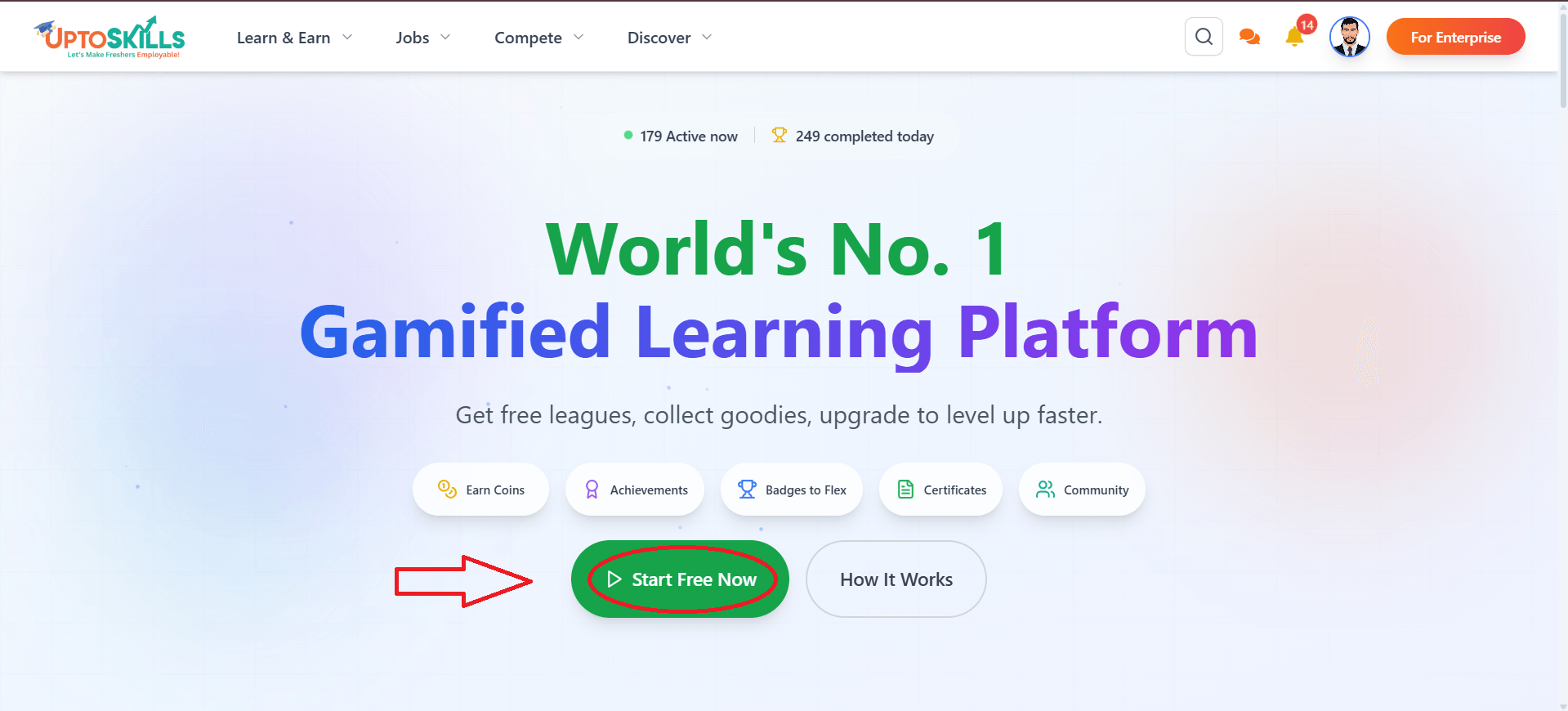
STEP 3:
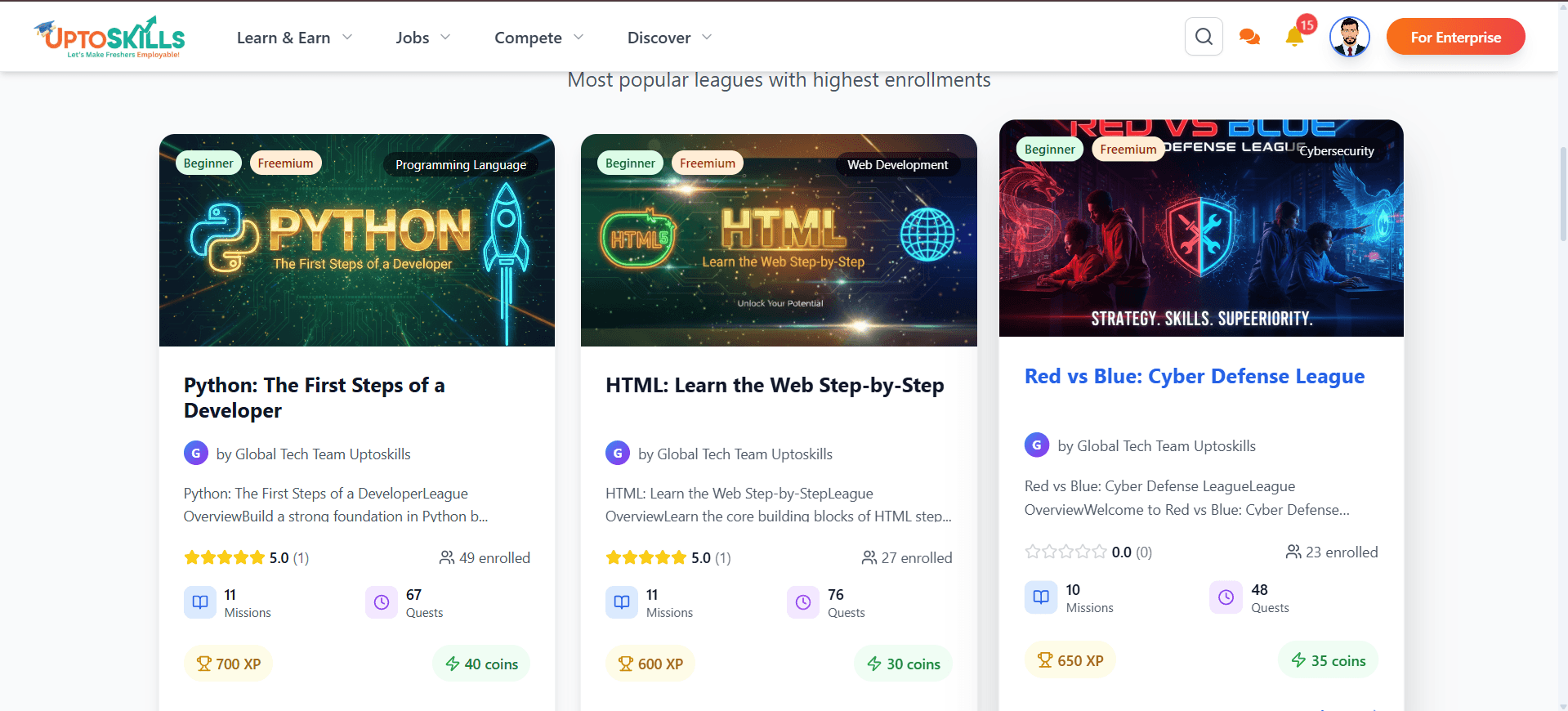
You’ll now see the section featuring popular leagues. If you want to explore the complete collection, simply click on the “View More Leagues” button to browse and search through all available leagues.
Once you find a league that interests you, go ahead and click on it to continue.
STEP 4:
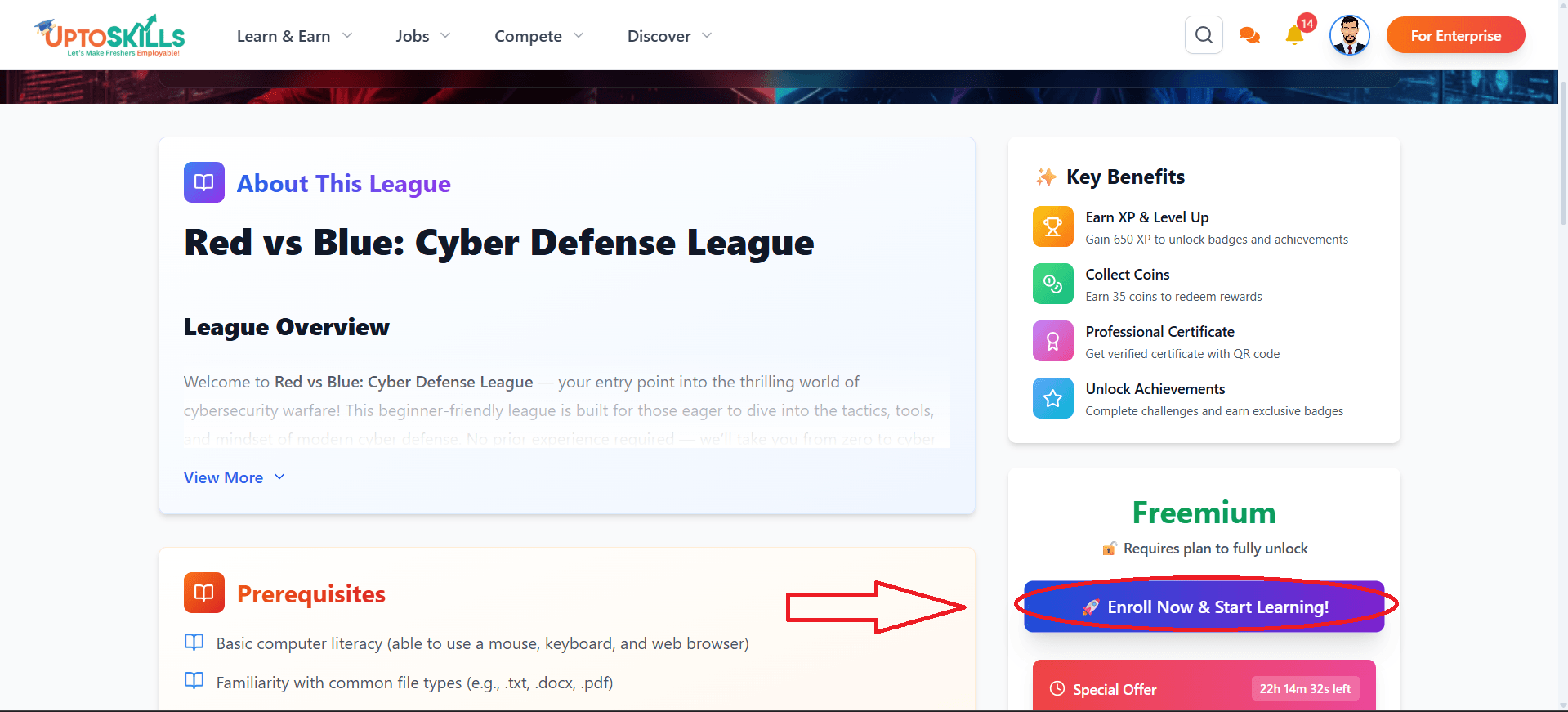
After clicking on the league you’re interested in, you’ll be taken to its main page. Here, you can explore all the details of the league, including the Overview, Prerequisites, and Learning Objectives.
Next to these sections, you’ll find a button labeled “Enroll Now and Start Learning!”
If you’re ready to begin the league, simply click this button, as shown in the figure below.
STEP 5:
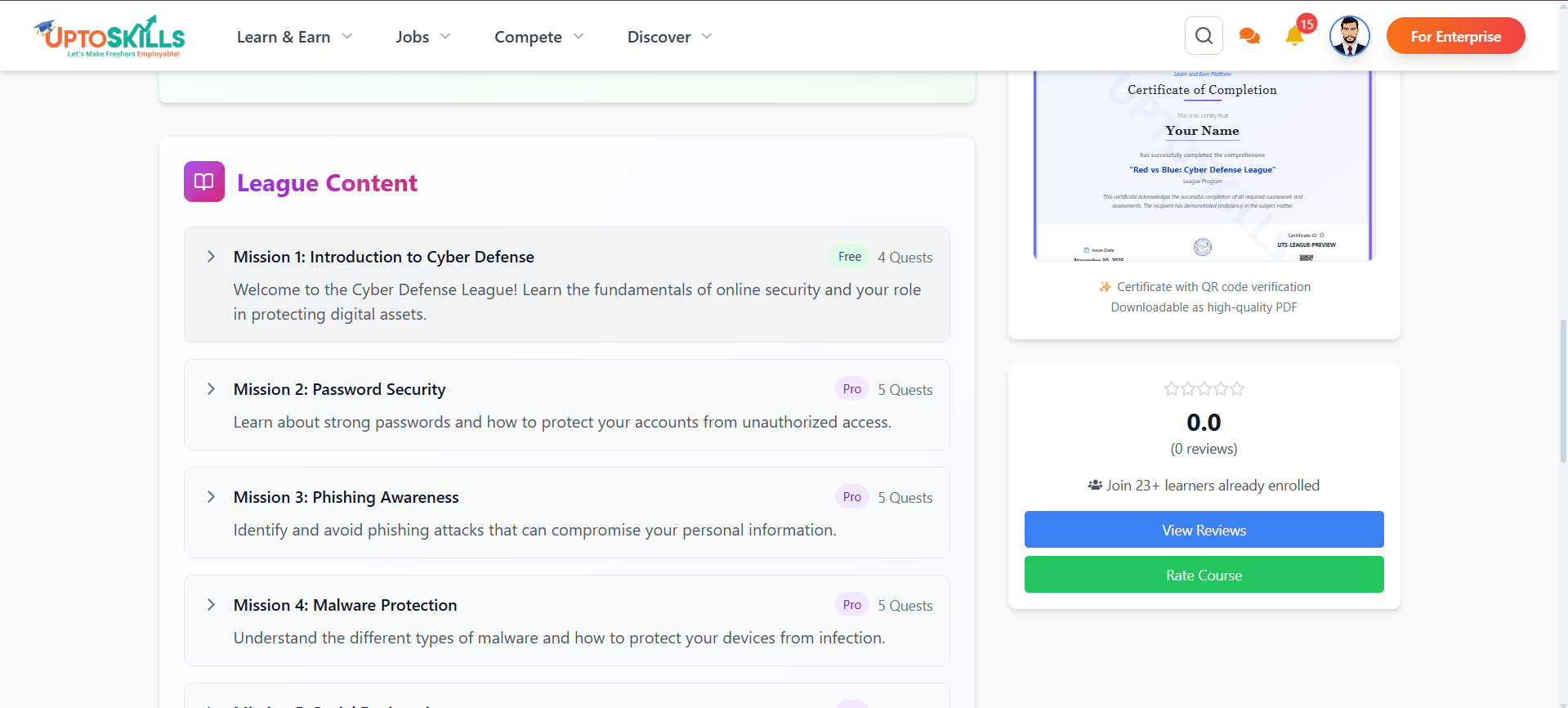
Once you enroll, in League Content section. Here, you’ll see Mission 1, Mission 2, and more — these missions are simply your learning modules.
Click on Mission 1 to get started.
STEP 6:
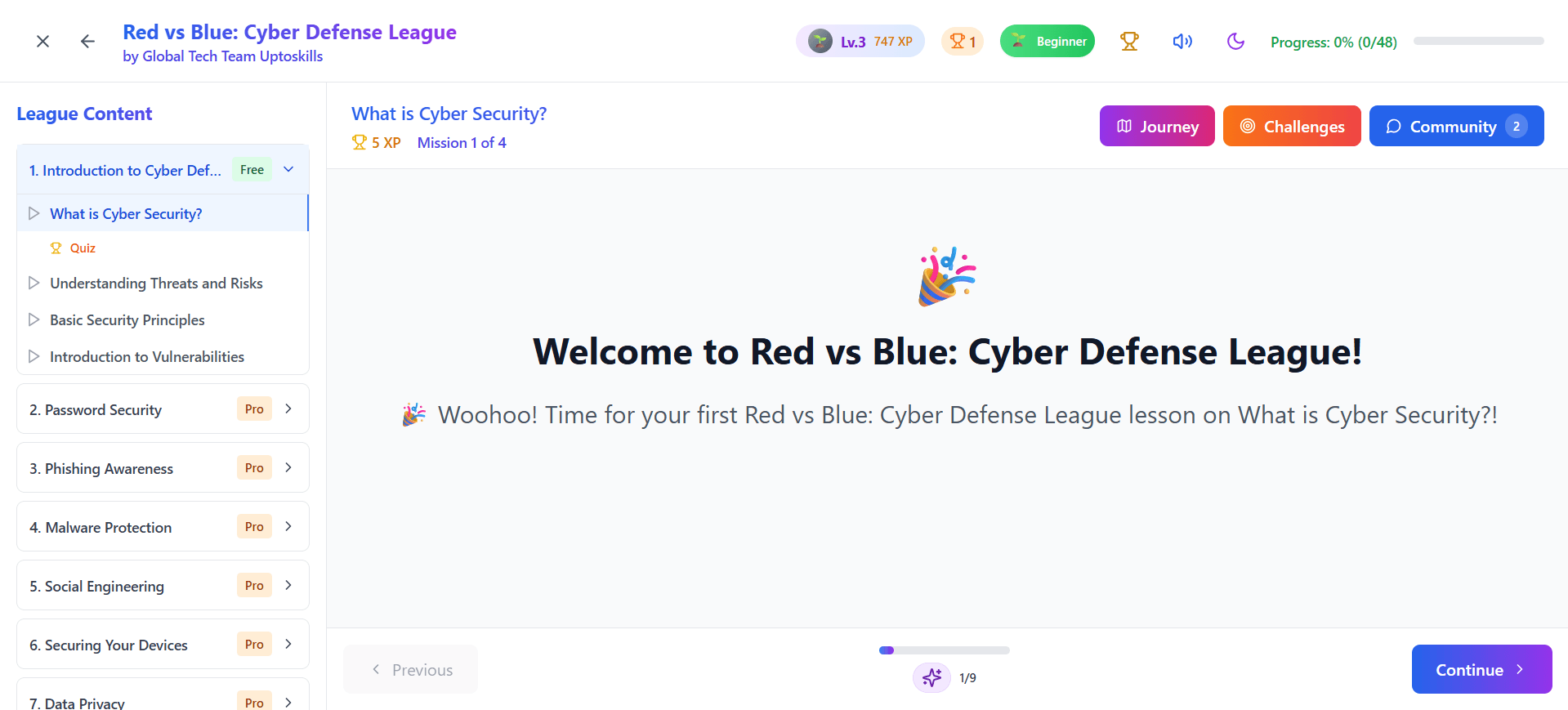
You’ve now officially started the league.
Mission 1 is completely accessible, so you can complete it without any interruptions.
From Mission 2 onward, you’ll need to use your league credits to continue progressing through the content.
STEP 7:
After completing Mission 1 and moving on to Mission 2, you’ll notice that it shows “League Locked” on the screen. This simply means you need league credits to unlock and continue with the next mission, as shown in the figure below.
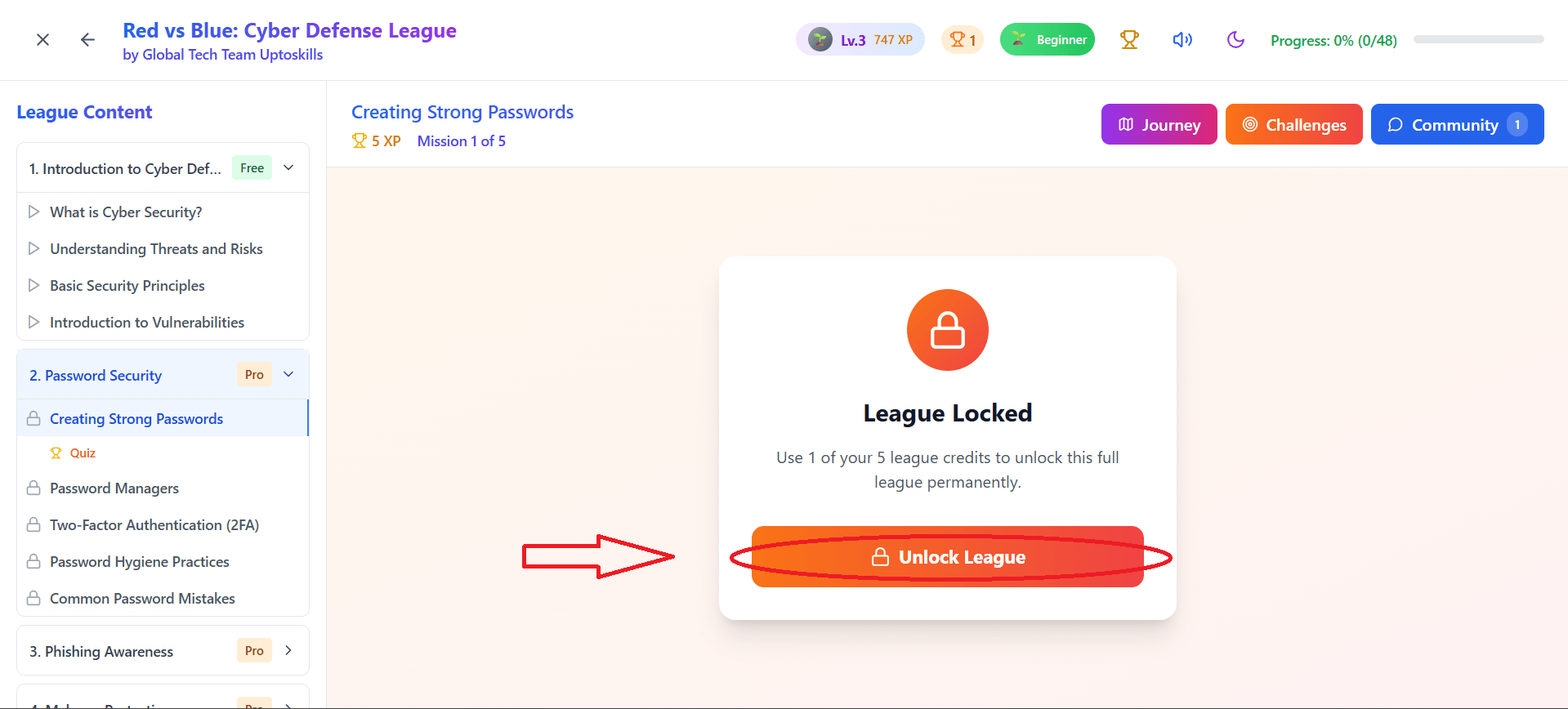
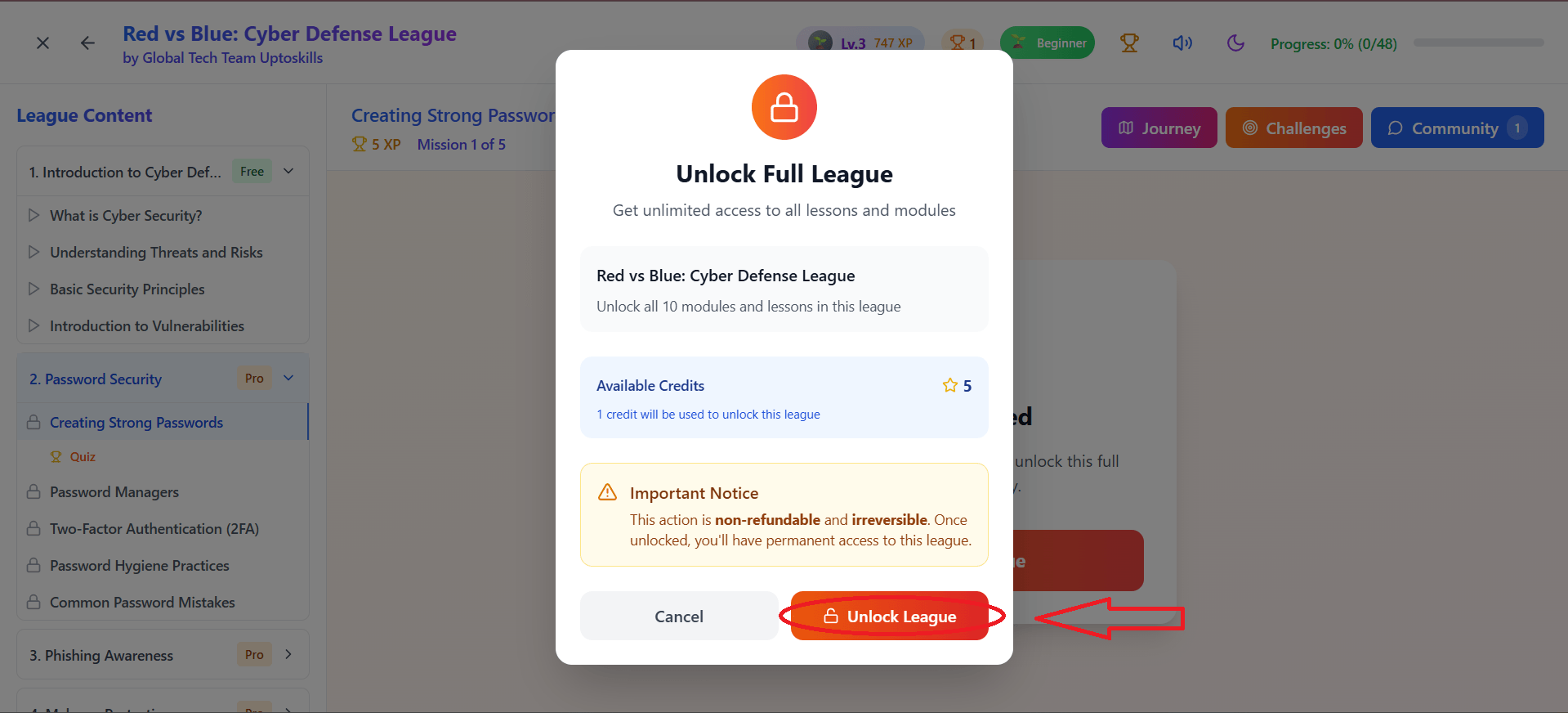
Click on "Unlock League"
Once you unlock the league, nothing stands in your way.
Begin your learning journey with confidence — and get ready to earn rewards, awards, and exciting goodies from Uptoskills as you grow.
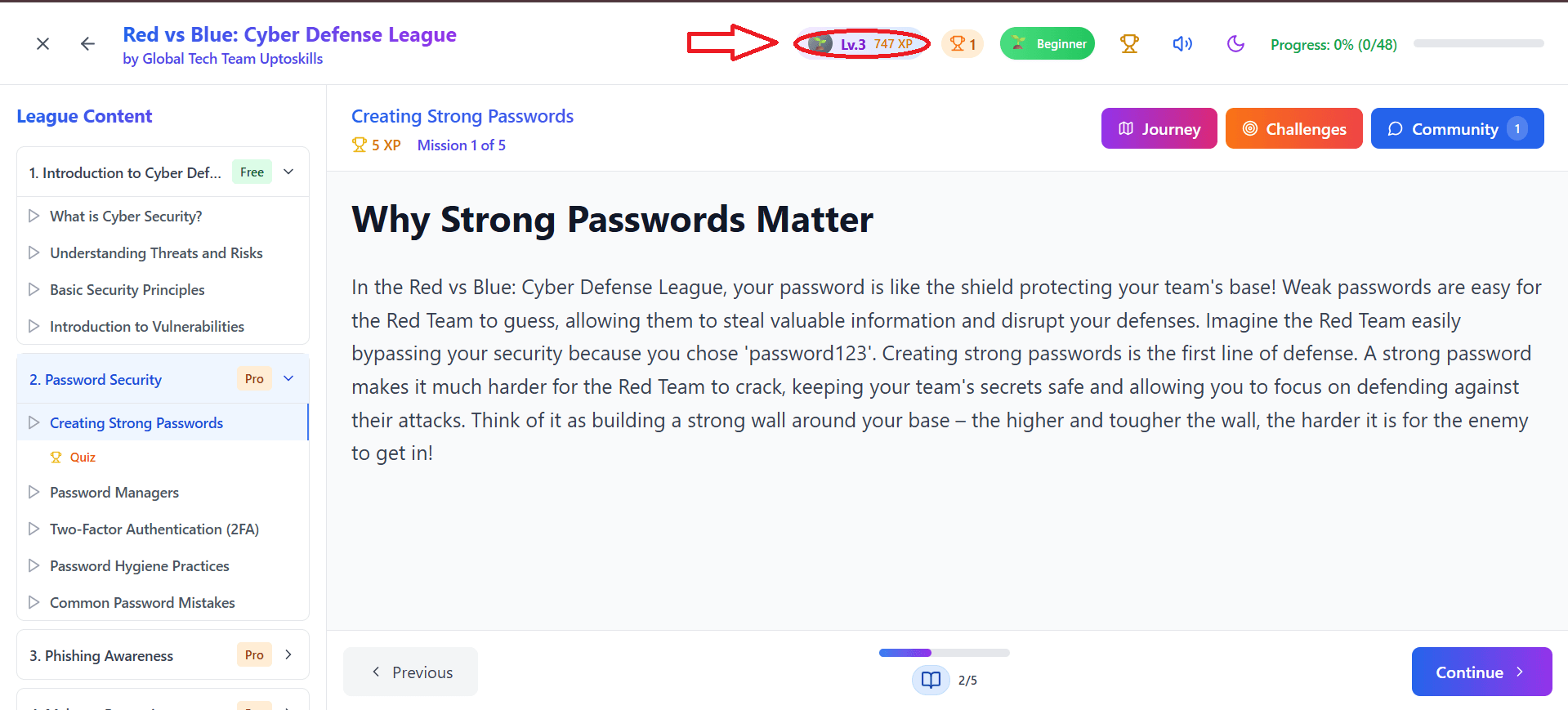
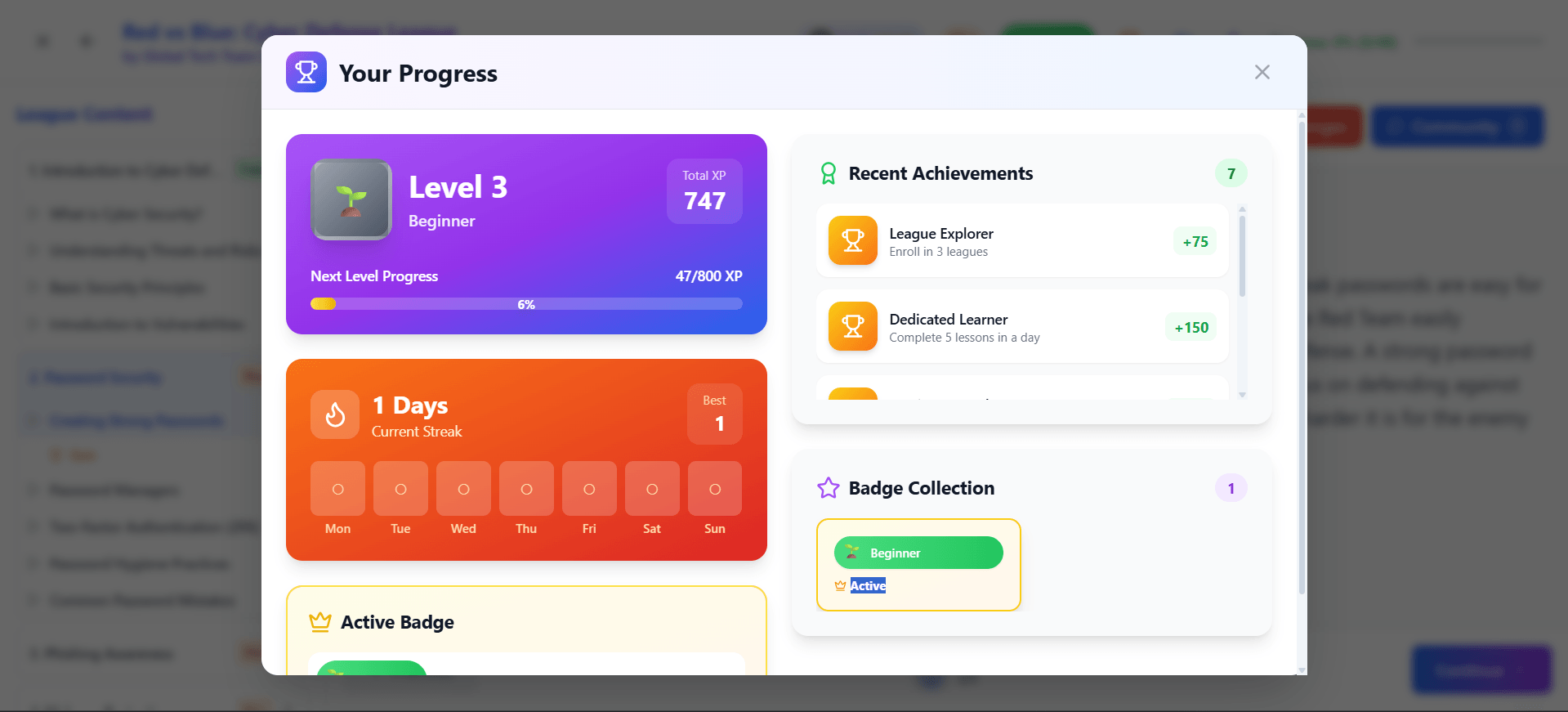
At the top of your screen, you’ll notice an option labeled “Lv XP.”
Click on it anytime to view your progress, track your level, and see how much experience you’ve earned so far.
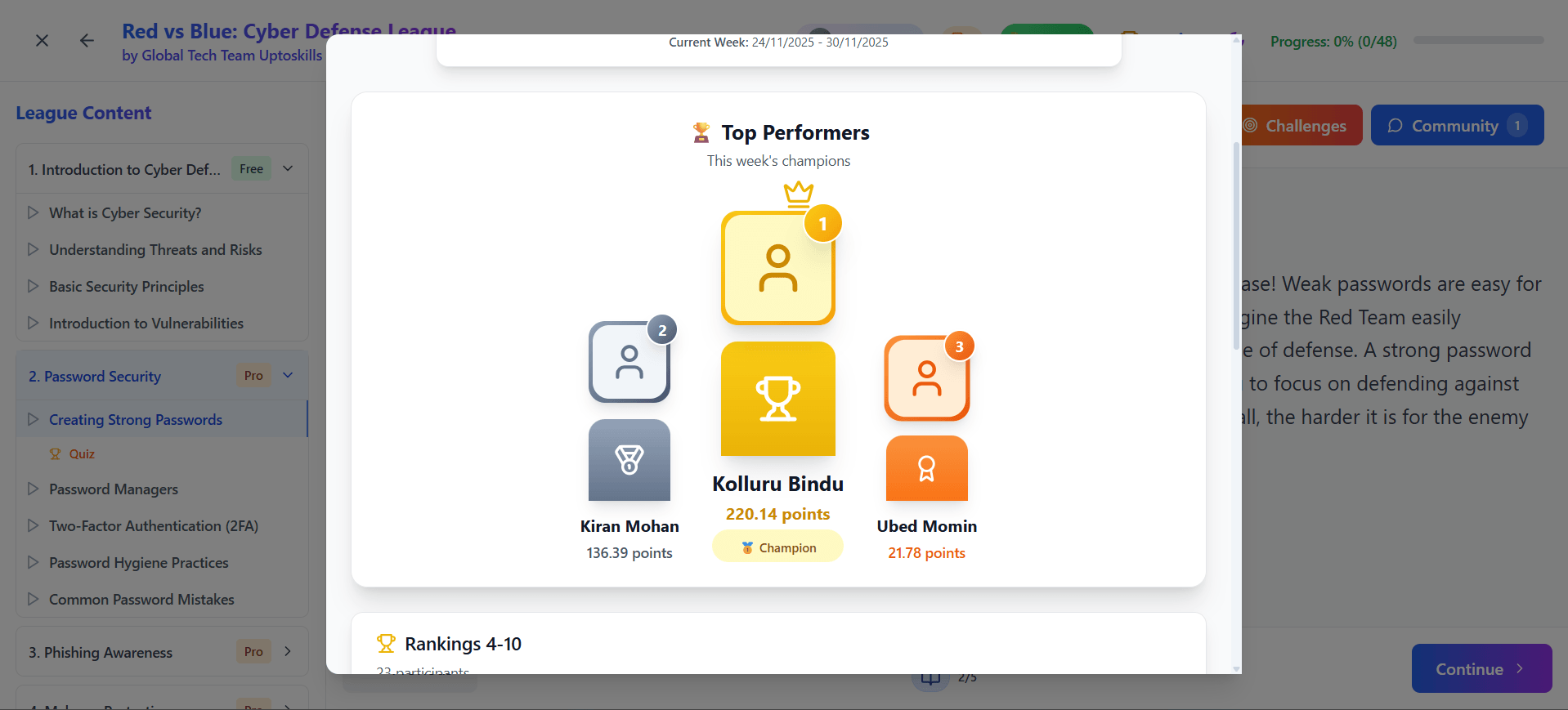
You’ll also see a cup/award icon at the top of your screen.
Click on this icon to open the Top Performers section, where you can view the leaderboard — and even spot yourself among the achievers.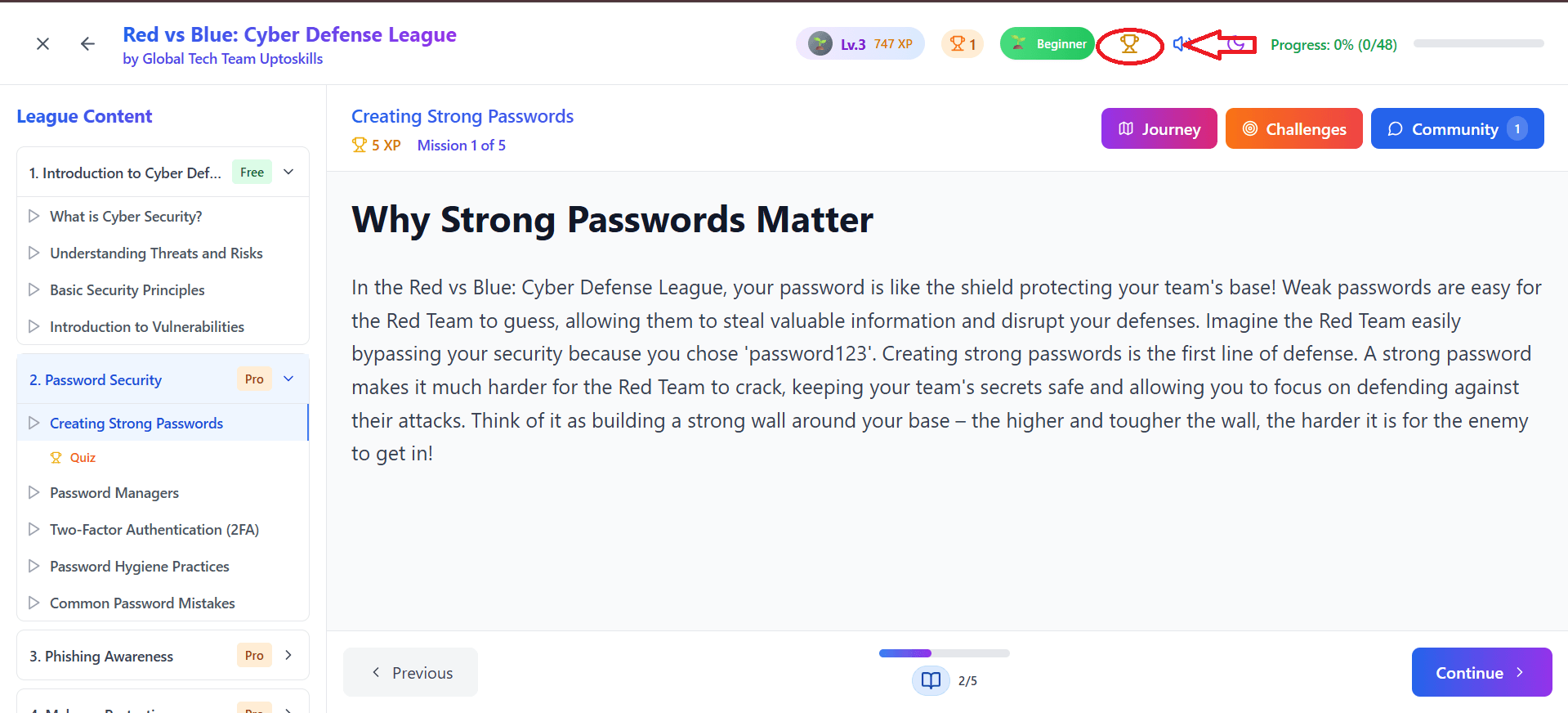
“Now it’s your turn to prove yourself” isn’t a warning; it’s a doorway. A little shimmering portal whispering, Let’s see what you can do when you stop underestimating yourself.