

Faculty Credits, Billing and Account Settings on UptoSkills
What credits are for, what the plans cost, where to download invoices, and how to lock down your faculty account.
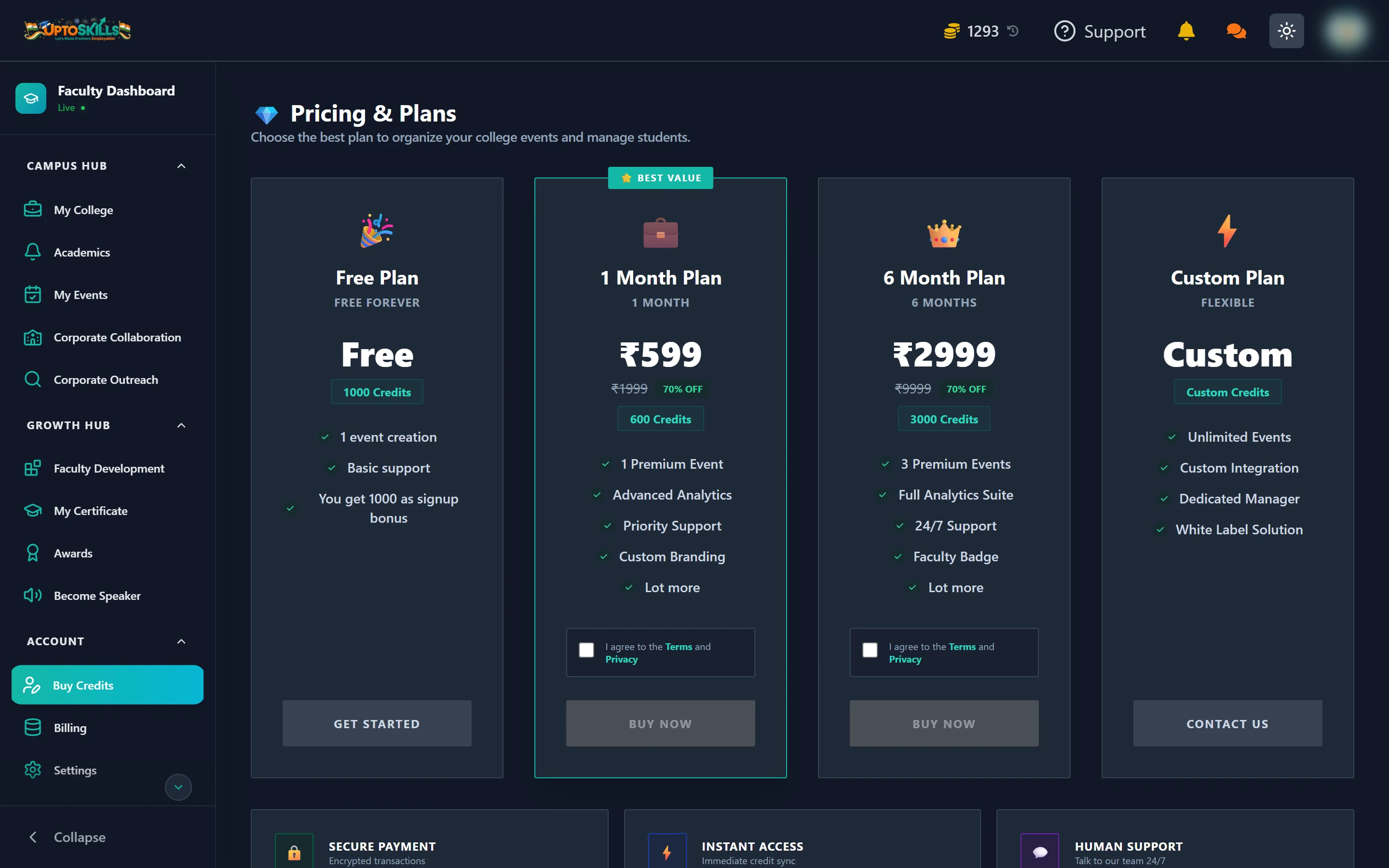
Short answer: Credits (also shown as coins) pay for the two features that cost money — email and WhatsApp notice broadcasts, and Corporate Outreach. Everything else in the Faculty Dashboard is free. You start with 1000 free credits.
The plans
| Plan | Price | Credits | Events |
|---|---|---|---|
| Free | Free forever | 1000 signup bonus | 1 event creation |
| 1 Month | ₹599 (was ₹1999) | 600 | 1 premium event |
| 6 Month | ₹2999 (was ₹9999) | 3000 | 3 premium events |
| Custom | Contact us | Custom | Unlimited |
Paid plans add advanced analytics, priority support and custom branding; the 6 Month plan adds a Faculty Badge and 24/7 support.
💡 If the only thing you need is Corporate Outreach, note that it requires a balance above 1000 — so the free plan's 1000 signup credits alone will not unlock it. Any paid top-up will.
What actually spends credits
| Action | Cost |
|---|---|
| Adding, importing and inviting students | Free |
| Posting a notice | Free |
| In-app notification broadcast | Free |
| Academic calendar, tracker, analytics | Free |
| Approving campus drives | Free |
| FDP webinars and certificates | Free |
| Email broadcast | ~1 coin per 5 students (first 2 free) |
| WhatsApp broadcast | 1 coin per verified student |
| Corporate Outreach search / email unlock / AI query | 5 coins each, once ever |
Billing
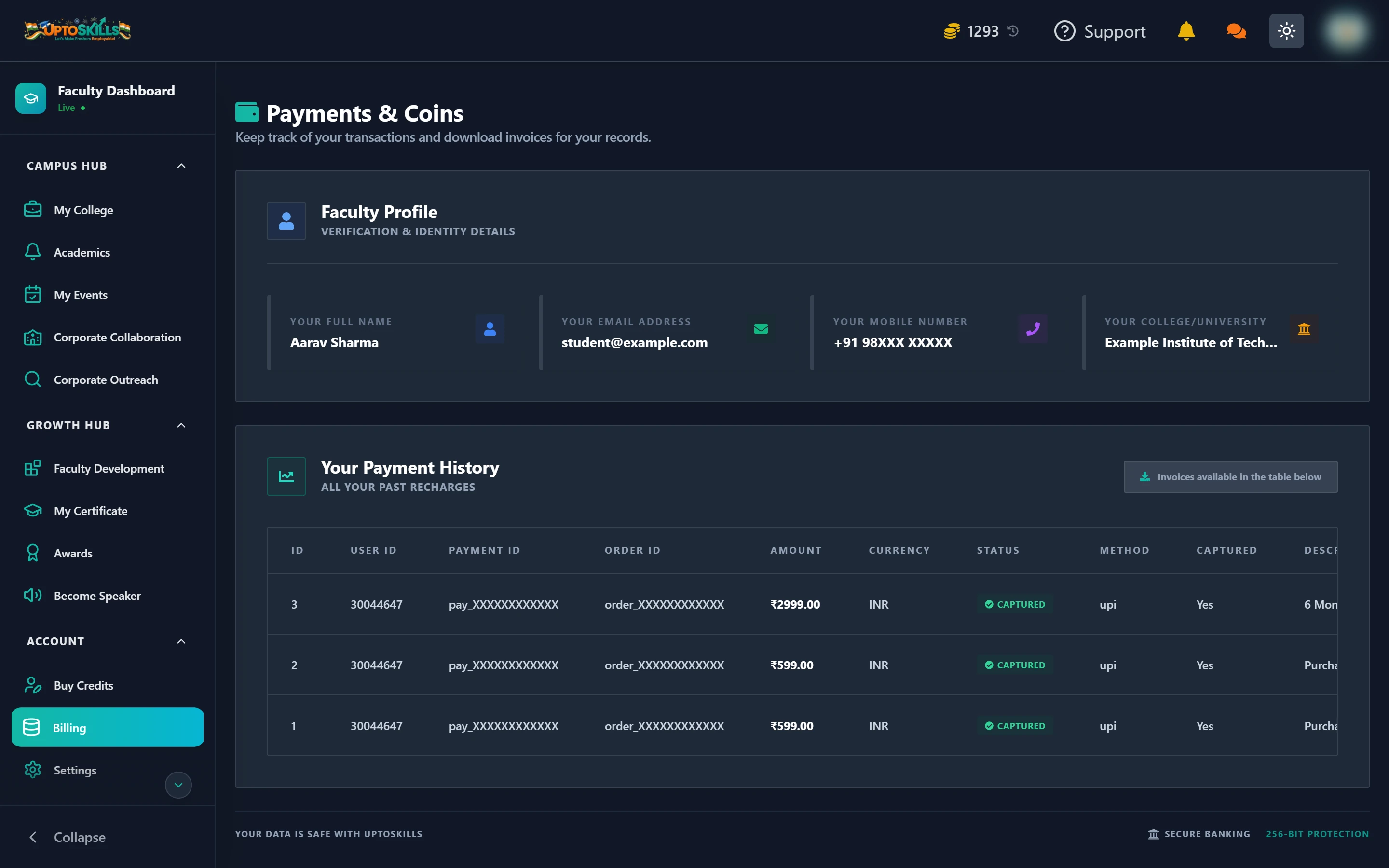
Billing holds two things: your verification and identity details, and your full payment history. Every recharge row carries payment ID, order ID, amount, method, plan and credits, with an Invoice button to download a copy for your college accounts.
Settings
Four tabs:
- Security & Password — change your password. Requirements are 8+ characters with an uppercase, a lowercase, a number and a special character
- Email & Mobile — verify and update your contact details
- Active Devices — see everywhere you are signed in, and sign out sessions you do not recognise
- Notifications — control what reaches you
🔒 Turn on two-factor authentication. A faculty account holds your students' contact details and application history — a password alone is thin protection for that.
Do credits expire?
Credits sit in your balance and are spent when you use a paid feature. The plan duration covers the plan's other benefits; the credits it granted stay in your balance.
Can I get a GST invoice for my college?
Yes. Every payment row in Billing has an Invoice download, which includes the tax breakdown.
What is the difference between credits and coins?
Nothing — they are the same balance under two names. The pricing page says credits; the top bar and Billing say coins.
What does the Live / Pending / Rejected badge mean?
It is your college verification status, shown under "Faculty Dashboard" in the sidebar. Live means verified. Pending means your submission is being reviewed. Rejected means something needs correcting — use Contact Us to find out what.
How do I get a plan for the whole department?
Use the Custom Plan option and contact the team. That is what it exists for.