

Academic Calendar for Faculty: Exams, Holidays and Drives
Publish your college academic calendar once — exams, holidays, placement drives and faculty leave — and import the whole year from a spreadsheet.
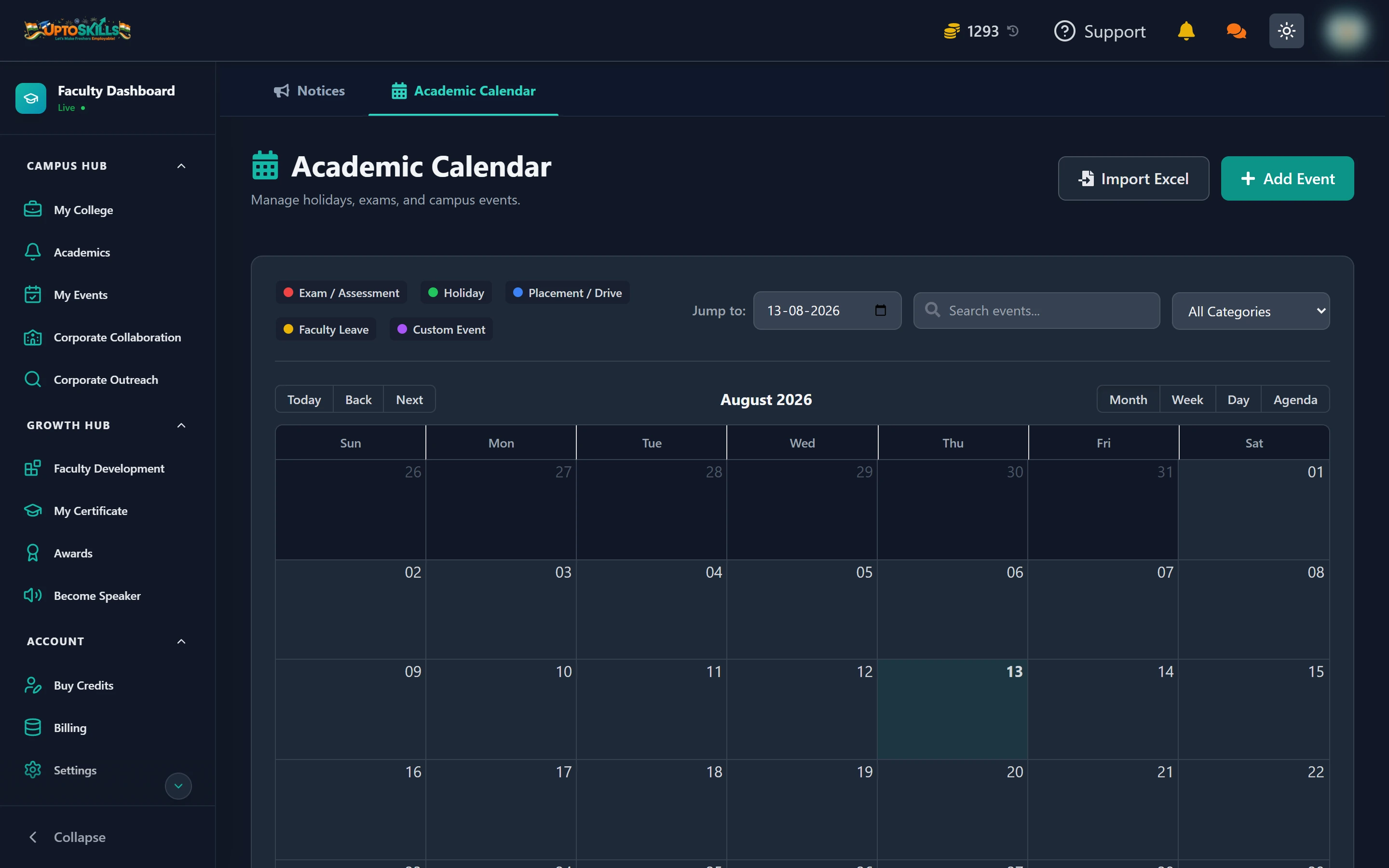
Short answer: Academics → Academic Calendar. Add events one at a time, or import your whole year from Excel in one go. Students see the same calendar in their dashboard.
The five categories
| Category | Use it for |
|---|---|
| Exam / Assessment | Mid-terms, finals, practicals, internal assessments |
| Holiday | Breaks and public holidays when the college is closed |
| Placement / Drive | Company visits and recruitment rounds |
| Faculty Leave | Staff absence that affects classes |
| Custom Event | Anything else — fests, guest lectures, orientation |
Each category is colour-coded, and the Jump to filter narrows the calendar to one category at a time.
Four ways to view it
Month, Week, Day and Agenda. Agenda is the one to use when you want a plain chronological list rather than a grid — it is much easier to read out in a meeting.
Importing a whole year from Excel
Click Import Excel, then Download Template to get Academic_Calendar_Template.xlsx:
| Column | Example |
|---|---|
| Event Title | Mid-Term Exams |
| Start Date | 15/10/2026 |
| End Date | 20/10/2026 |
| Category | Exam / Assessment |
| Description | Main hall exams |
📅 Dates are day/month/year. Multi-day events like a week-long break use different start and end dates; a one-day placement drive uses the same date in both columns.
The importer accepts .xlsx, .xls and .csv, and lets you map your own column names onto its fields — so an existing calendar file usually imports without being rewritten.
Adding a single event
Add Event → title, category, start and end date, description. Use this for the mid-year changes that always happen after the official calendar is published.
Do students see the calendar automatically?
Yes. It appears in their dashboard under Academics, alongside your notices, with an Upcoming Events list. You do not need to broadcast it.
Can I import the calendar more than once?
Yes — most colleges import the base year, then add revisions as single events. Re-importing the same file adds those events again, so import revisions as individual events rather than re-uploading a whole edited file.
Should a placement drive go in the calendar or in Corporate Collaboration?
Both, and they do different jobs. Corporate Collaboration is where you approve the drive and students apply. The calendar entry is what makes sure nobody schedules an exam on the same morning.
What date format does the importer expect?
DD/MM/YYYY, as shown in the template. If your spreadsheet stores dates as real Excel dates rather than text, they import cleanly.