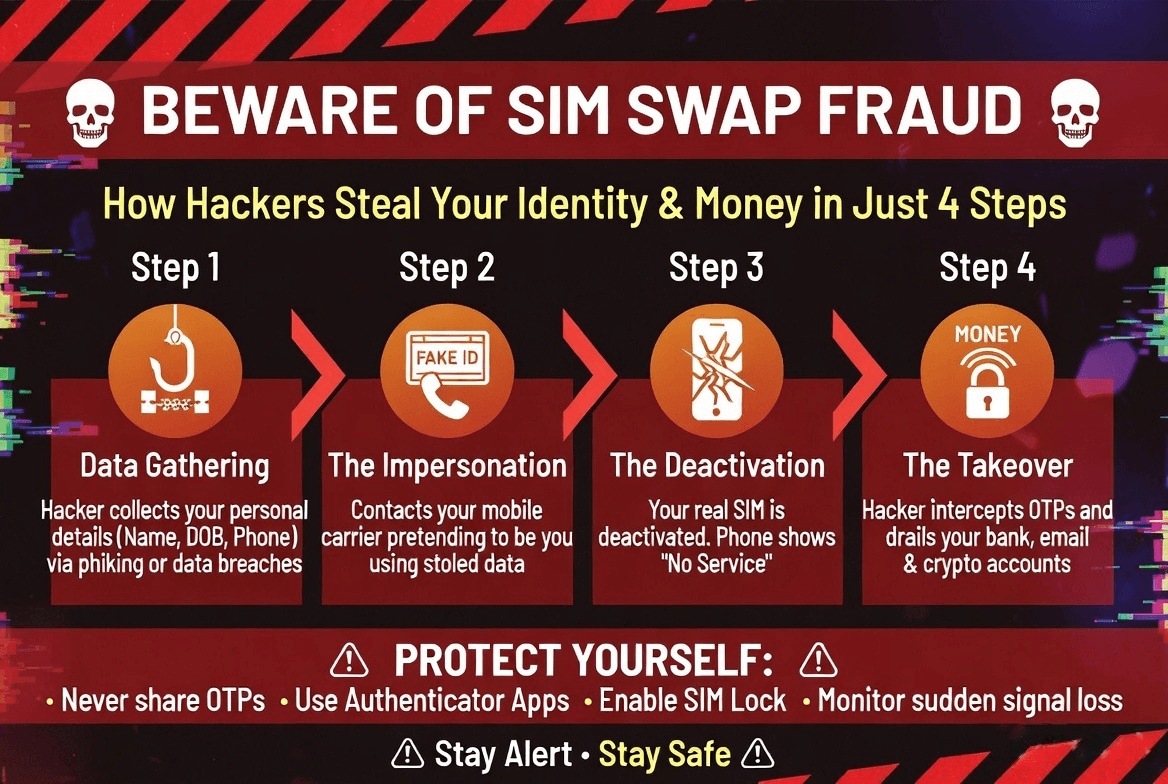
Imagine waking up, reaching for your phone, and noticing it has absolutely no signal. You assume it’s a temporary network glitch, so you log into your laptop to check your email—only to find security alerts from your bank showing your life savings have just been transferred out.
You haven't clicked a phishing link, and you haven't lost your physical phone. Yet, you’ve just been a victim of SIM Swapping Fraud.
Unlike traditional hacks, SIM swapping doesn't bypass your phone's security defenses—it bypasses you entirely by targeting your mobile carrier. Here is an in-depth breakdown of how this silent cybercrime works, the warning signs, and how to bulletproof your accounts.
What is SIM Swapping Fraud?
SIM swapping (also known as SIMjacking) occurs when a fraudster tricks your mobile network operator into porting your phone number over to a blank SIM card that they control.
Once your number is active on the scammer’s device, your physical phone loses all cellular network connectivity. From that moment on, every phone call, text message, and crucial One-Time Password (OTP) meant for you goes straight to the criminal.
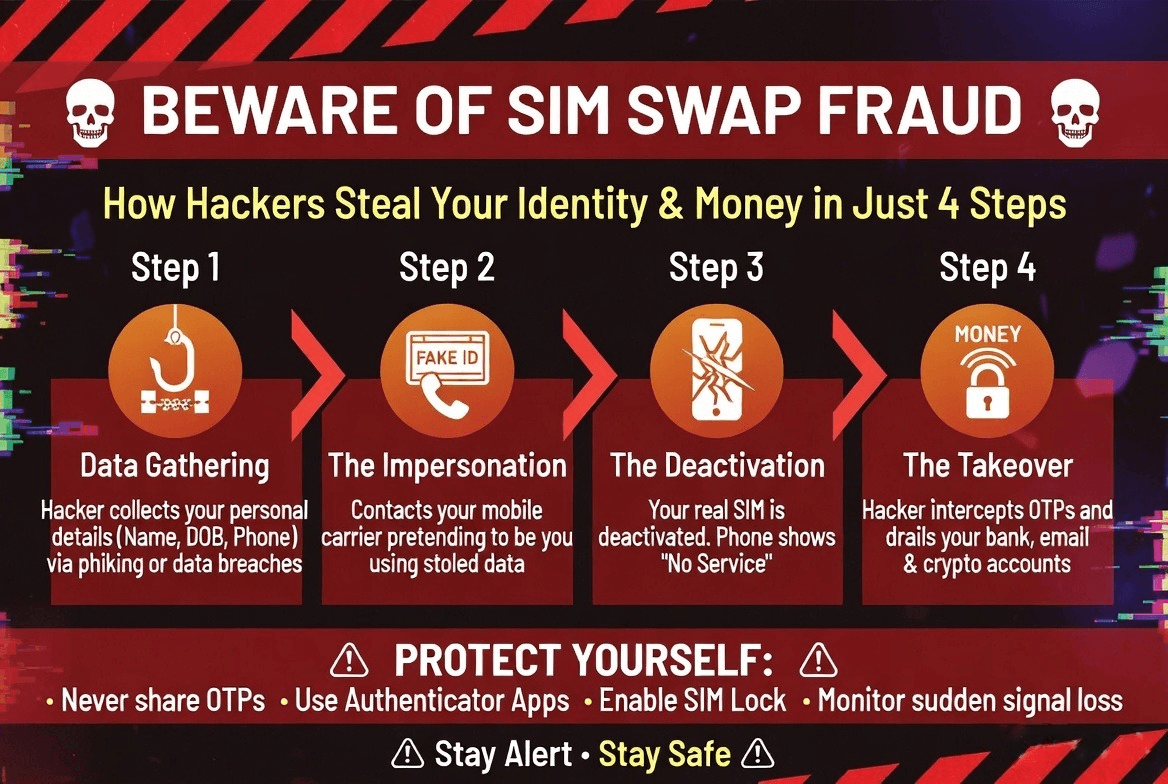
How the Scam Unfolds: Step-by-Step
Scammers rely on a mix of social engineering and data gathering to pull off a successful swap:
Critical Red Flags: Is Your SIM Being Swapped?
Because this attack happens remotely, you have to watch out for immediate, sudden changes in your phone's behavior:
- Sudden "No Service" or "Emergency Calls Only": If your phone completely loses signal in an area where you normally have excellent reception, and restarting it doesn't fix it, your number may have been deactivated.
- Unsolicited Network Notifications: Receiving a text or email stating that your SIM card change request is being processed—even though you never made one—is a severe warning sign.
- Inability to Log In: Finding yourself suddenly locked out of your email or banking applications because your passwords "don't match."
How to Protect Yourself from SIM Swapping
Standard passwords and SMS-based two-factor authentication (2FA) are no longer enough to protect your digital identity. To safeguard your device and data, implement these security measures:
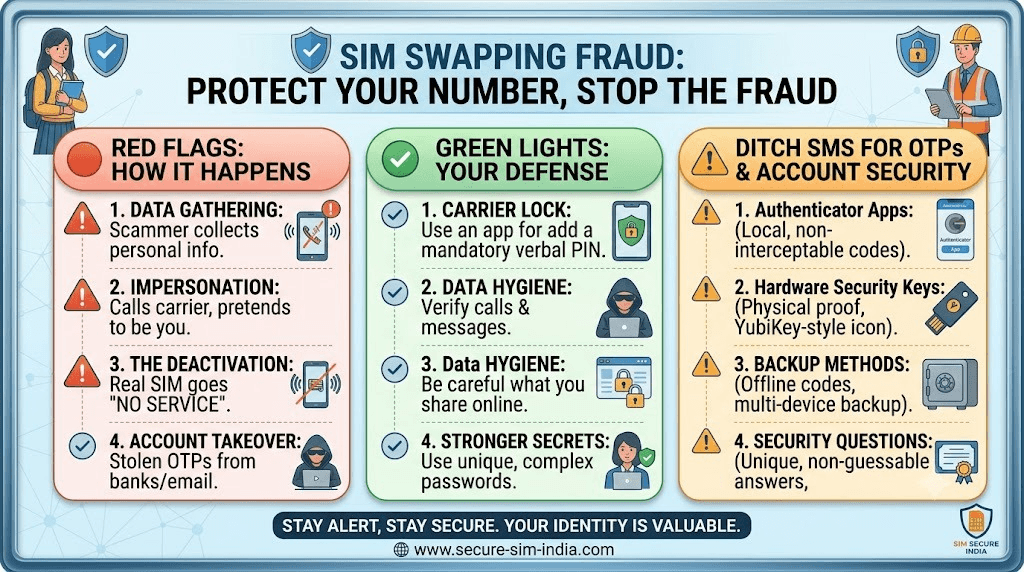
1. Ditch SMS-Based OTPs (The Single Best Defense)
Stop using text messages for your accounts' Two-Factor Authentication. If a criminal swaps your SIM, your SMS security layer fails instantly. Instead, switch to:
- Authenticator Apps: Use apps like Google Authenticator or Microsoft Authenticator. These generate rolling 6-digit codes directly on your local device storage, meaning a hacker cannot intercept them via a SIM swap.
- Hardware Security Keys: For critical accounts (like your primary email), use physical USB/NFC security keys like a YubiKey.
2. Lock Your Carrier Account
Contact your mobile operator's customer service or use their official app to increase your account security. Set a unique, mandatory verbal PIN or password that must be provided over the phone before any changes, porting requests, or SIM replacements can be initiated on your number.
3. Practice Strict Data Hygiene
- Never post highly personal information like your date of birth, mother's maiden name, pet names, or specific locations on public social media accounts. Scammers use these to guess security questions.
- Be highly skeptical of unsolicited emails, texts, or calls asking you to verify your identity or confirm account credentials.
What to Do If You Become a Victim
If you suspect your SIM card has been fraudulently hijacked, every minute counts:
1. Contact Your Mobile Carrier Immediately: Call them from a family member's phone or visit a local store to report an unauthorized SIM swap. Demand that they freeze your account and deactivate the fraudulent SIM.
2. Alert Your Banks: Immediately log into your financial accounts via Wi-Fi and change your passwords. If you can't log in, contact your banks' emergency hotlines to temporarily freeze your bank accounts, credit cards, and digital wallets.
3. Report to Cybercrime Authorities: File a formal complaint on your national cybercrime reporting portal right away to protect yourself against legal liability if the hackers use your identity for further crimes.
.png)